Ana Sayfa / Eklentiler / JS Image Compressor WordPress Plugin
JS Image Compressor WordPress Plugin
WordPress web siteleri için görselleri %90'a kadar otomatik sıkıştırın
- Yayın tarihi9 Temmuz 2021
- Son güncelleme9 Temmuz 2021
- Canlı demoVar


Overview
This plugin compresses the uploaded image file on the fly and convert it into JPG format. The original uploaded file is replaced with new compressed one so be sure before using this plugin.
We have received a request from Classified website where users were listing their items with HD images and the site would go down sometime for too many images in the site.
So, We have introduced this plugin this will automatically compress the images and deleted the large file and replaces with the optimized images.
So, everything is on auto mode. You just need to install the plugin the rest plugin do its work.
Features
1) Compress Images
2) Instant & Automatically Compresses The Images
3) Deletes Large Size Images and Replaces with Optimized Images Automatically
4) Best For Bloggers, Businesses, Organization Anyone Who Wants to Load His/Her Blog/Website.
Requirements
You Just Need A WordPress Installed Whether On Your Localhost or On Your Domain and Upload the Plugin That's It.
Instructions
Follow the Steps to Install JS Image Compressor. 1. Navigate to Plugins -> Add new. 2. Click the button "Upload Plugin" next to "Add plugins" title. 3. Upload the downloaded zip file and activate it.
= Direct upload =
1. Upload the downloaded zip file into your `wp-content/plugins/` folder. 2. Unzip the uploaded zip file. 3. Navigate to Plugins menu on your WordPress admin area. 4. Activate this plugin.
Benzer ürünler

WordPress sitenize özelleştirilebilir bir çerez başlığı, izin kategorileri, tercihler merkezi ve komut dosyası engelleme ekleyin.
Yayın: Kasım 2026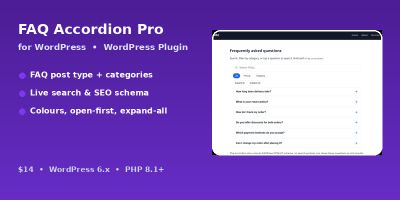
Kategoriler, erişilebilir bir akordeon ve FAQPage JSON-LD işaretlemesi ile aranabilir SSS'leri WordPress sitenizde görüntüleyin.
Yayın: Kasım 2026
Görüntüleri erişilebilir, sürüklenebilir bir öncesi-sonrası kaydırıcısı, kısa kodu ve WordPress için Gutenberg bloğuyla karşılaştırın.
Yayın: Kasım 2026
WordPress sitenize tebrik balonu, çalışma saatleri, kısa kod ve widget içeren kayan bir WhatsApp sohbet düğmesi ekleyin.
Yayın: Kasım 2026
ChatGPT, Perplexity, Google Gemini ve Claude'da markadan bahsedilenleri ve alıntıları doğrudan WordPress kontrol panelinizden takip edin.
Yayın: Kasım 2026
YOP-FAQ; WordPress SSS'lerini akordeon düzenleri, canlı arama, SEO araçları, analizler ve editör entegrasyonlarıyla yönetir.
Yayın: Kasım 2026