Ana Sayfa / Eklentiler / WooTrack - Tracking Plugin for WooCommerce
WooTrack - Tracking Plugin for WooCommerce
WooTrack, mağaza sahiplerinin dünya genelindeki sevkiyatlar için gerçek zamanlı ve doğru nakliye ücretlerini almasına yardımcı olacak bir eklentidir.
- Yayın tarihi21 Ekim 2021
- Nerede çalışırWooCommerce 2.7.x, WooCommerce 2.8.x, WooCommerce 2.9.x, WordPress 5.0
- Paket içeriği.php, .css, .html, JavaScript .js
- Son güncelleme21 Ekim 2021
- Canlı demoVar


Overview
Welcome to Wootrack - Freight Rates & Order tracking Plugin for Woocommerce , a WooCommerce function-based Plugin that will help you keep track of your products while they are arriving at your address. Through DHL Active Tracing api, you will be able to follow your orders in real time. Boost your sales with Wootrack! This plugin connects to the Active Tracing API of DHL Freight and creates a shortcode that can be inserted anywhere in your woocommerce site, and it creates a form where you can search based on shipment ID or your own order-reference.
DEMO SITE CREDENTIALS:
Features
- Full event scanning history, dates and locations from collection to delivery. - Comprehensive shipment information on important milestones. - Direct shipment web link for you and your customers. - Rapid retrieval of historic shipment information for up to six months. - Delivers total visibility for all your road freight. - Full DHL Cargo tracking history in convenient user interface. - Provides you with all the benefits of advanced Track & Trace technology.
Requirements
- WooCommerce plug-in installed
- create a DHL ACT account at https://activetracing.dhl.com/DatPublic/login.do? and request account activation by emailing or calling your region's DHL customer service. Please note that you must specify your myACT account.
- Create an account with a shipping service like DHL or FEDEX and request your API credentials.
Instructions
A documentation file is attached.
Benzer ürünler
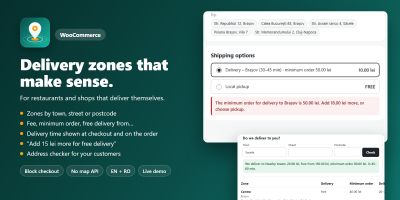
WooCommerce teslimat bölgelerini özel ücretler, minimum siparişler ve teslimat süreleriyle şehre, caddeye veya posta koduna göre ayarlayın.
Yayın: Kasım 2026
ShipCraft, WooCommerce kargo ücretlerini ağırlığa, ürün adedine, ara toplama, sınıfa veya posta koduna göre ekler; yerleşik bir ücret simülatörü içerir.
Yayın: Ekim 2026
Bölgeye, taşıyıcıya, depoya, posta koduna ve resmi tatile göre doğru AB teslimat tarihleriyle kargo kesim saati geri sayımı.
Yayın: Ağustos 2026
Dinamik kargo teslimat sürelerini, yüksek dönüşümlü Geo-IP takibi ve geri sayımlı FOMO sayacıyla gösterin.
Yayın: Haziran 2026
WooCommerce için Özel Şehir ve Eyalet Kargo Ücreti, her eyaletin her şehrine ayrı teslimat ücreti atamanızı sağlar,
Yayın: Mart 2026
Geniki Taxydromiki Kurye ile WooCommerce arasında geçiş
Yayın: Haziran 2024