Ana Sayfa / Eklentiler / ZiLab ICO - Crypto ICO BSC WordPress Plugin
ZiLab ICO - Crypto ICO BSC WordPress Plugin
ZiLab ICO | Crypto ICO BSC WP Eklentisi, ICO başlatıp tokenları satmak isteyen kripto projeleri için hazır bir WordPress eklentisi…
- Yayın tarihi4 Ekim 2022
- Nerede çalışırWordPress 5.0, WordPress 5.8, WordPress 5.9
- Paket içeriği.php, .css, .html, JavaScript .js
- Son güncelleme4 Ekim 2022
- Canlı demoVar


Overview
Visit Web 3 Marketplace to see more products - https://pinky.finance/marketplace
- Multi Chain Presale dApp (-30% Discount)
- DEX for BSC Network dApp
- DEX for ETH Network dApp
- DEX for Polygon Network dApp
- Laravel DEX Multi-Blockchain (Supported Blockchains: BSC, ETH, Polygon)
- Crypto Multisender (Bulk Send)
- Crypto Pre-Sale (ICO) for BSC Network
- Crypto Pre-Sale (ICO) for ETH Network
- Crypto Pre-Sale (ICO) for Polygon Network
- Crypto Referral dApp
- P2E Games
- Learn to Earn dApp (Discount)
- Crypto Airdrop dApp (Discount)
- Crypto Staking dApp (-40% Discount)
- Bridge
- Crypto Staking (-50% Discount)
- Custom Development
Our Related Ready-made Solutions
If you have any questions related to this product, or you need assistance contact us on Telegram:
Next Generation ICO Launchpad Software: https://www.bitcord.io
ZiLab ICO | Crypto ICO BSC WP Plugin is a ready-made WordPress plugin for crypto projects, that want to launch an ICO and sell their tokens to the world. We made it even easier for people to start to raise money for their projects with this WP Plugin. All you need to do is install the plugin, deploy a smart contract on BSC Network, and follow the documentation to set your token price, presale start, end date, and whitelisted payable tokens. If you need any help with smart contract deployment, feel free to contact us. The files contain a WordPress plugin (ZILAB ICO), and two smart contracts for BSC Network.
- BEP-20 Token Smart Contract (You don't need this if you already have your own token)
- ZiLabPresale Smart Contract (This is required to launch your ICO).
We are planning to launch multiple versions of this plugin for multiple blockchains, next one will be ETH.
Features
- Easy Installation (few clicks).
- Edit Token Smart Contract Address.
- Edit Pre-Sale Smart Contract Address.
- Buy Token form is a shortcode.
- Edit pre-sale start date.
- Edit pre-sale end date.
- Edit Your Token Symbol.
- Edit Your Token Name.
- Edit Your Token Image.
- Add/Delete Payable Tokens
- Display the Token Buying Form where ever you want.
- MetaMask/Trust Wallet Support
- Connect to wallet
- Buy Tokens
- Receive Instantly the tokens on your wallet after successful payment.
- Disconnect from wallet
- See your wallet address
- And more...
Requirements
- BNB Wallet
- WordPress
- MetaMask Wallet
Instructions
ZiLab ICO | Crypto ICO BSC WP Plugin Documentation

1. Plugin Installation
Go to wp-admin -> Plugins section and click “Add new” then “Upload plugin”

Then select the file called: “zilab-ico-wordpress-plugin.zip” and click the upload button.
After the upload, you will see a screen like this:

Now, click the “Activate Plugin”.

Then you will see that the plugin is installed successfully and are now ready to use.
2. Smart Contract Deployment for ZiLab ICO WP Plugin
Keep in mind that you will need Metamask with some amount of the BNBs to pay for the gas fees. Usually, it costs a maximum of 5-10 USD. 1. Open the https://remix.ethereum.org/ 2. Create a new file with the name "Zilab_Presale.sol". 3. Copy the Zilab_Presale.sol file content into the newly created file.


If you have followed the steps now you should have your own presale contract deployed on the BSC Mainnet. Congratulations! You will need the contract address for the WordPress plugin configuration.
3. Smart contract Verification To be able to interact with the smart contract, you must verify it. To do so, open your contract on BSCScan.com The address looks similar to this: https://bscscan.com/address/{Contract Address}#contracts 1. Click on the text "Verify and Publish" 2.
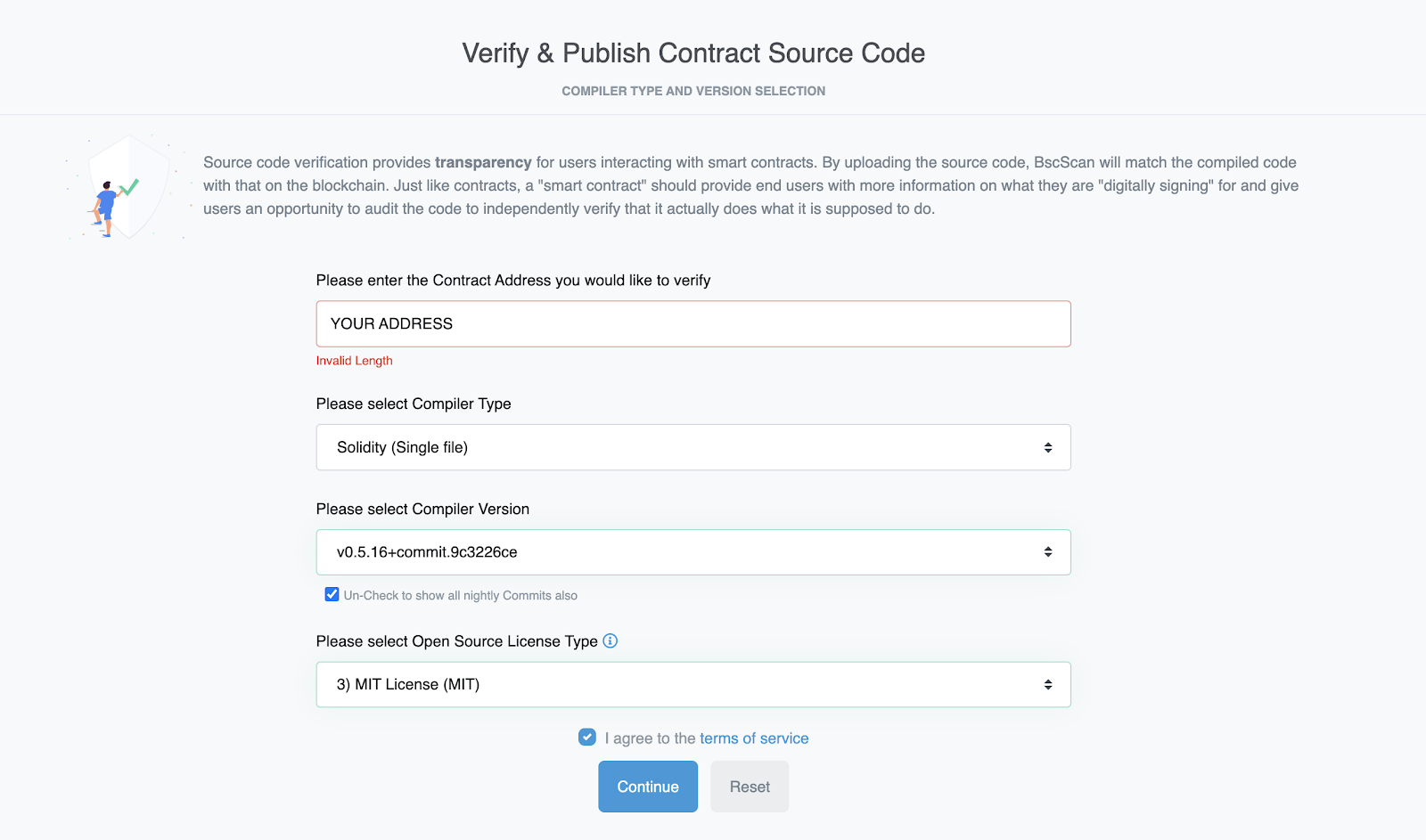
3.
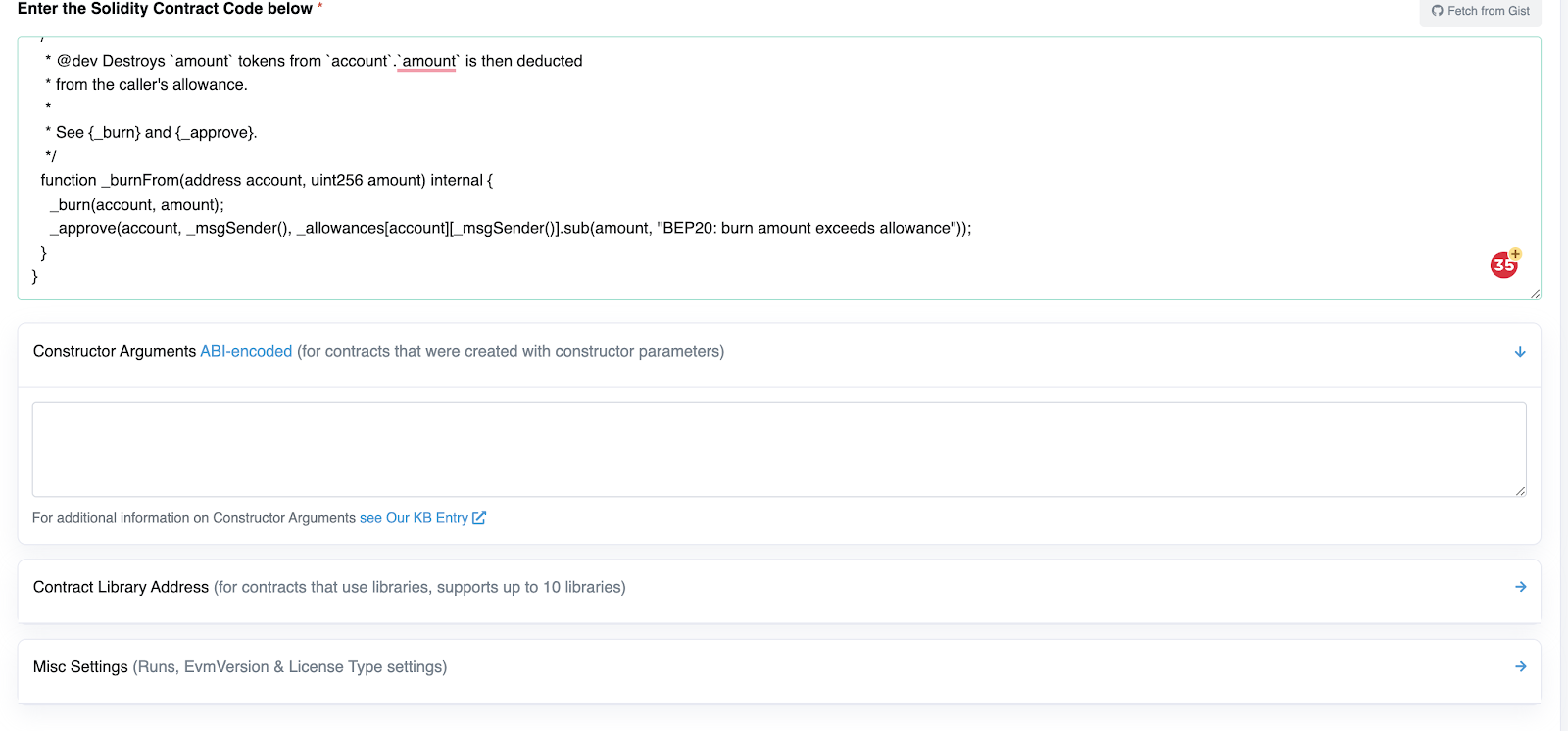
On the textarea "Enter the Solidity Contract Code below" you must paste the contract code from the remix website. 4. Click "Verify"
4. ZiLab ICO WP Plugin Configuration After successful plugin installation & activation, you will see on the admin menu a new link called “ZiLab ICO”.
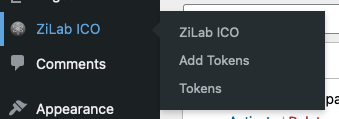
Click on the “ZiLab ICO” and there will be fields like these:
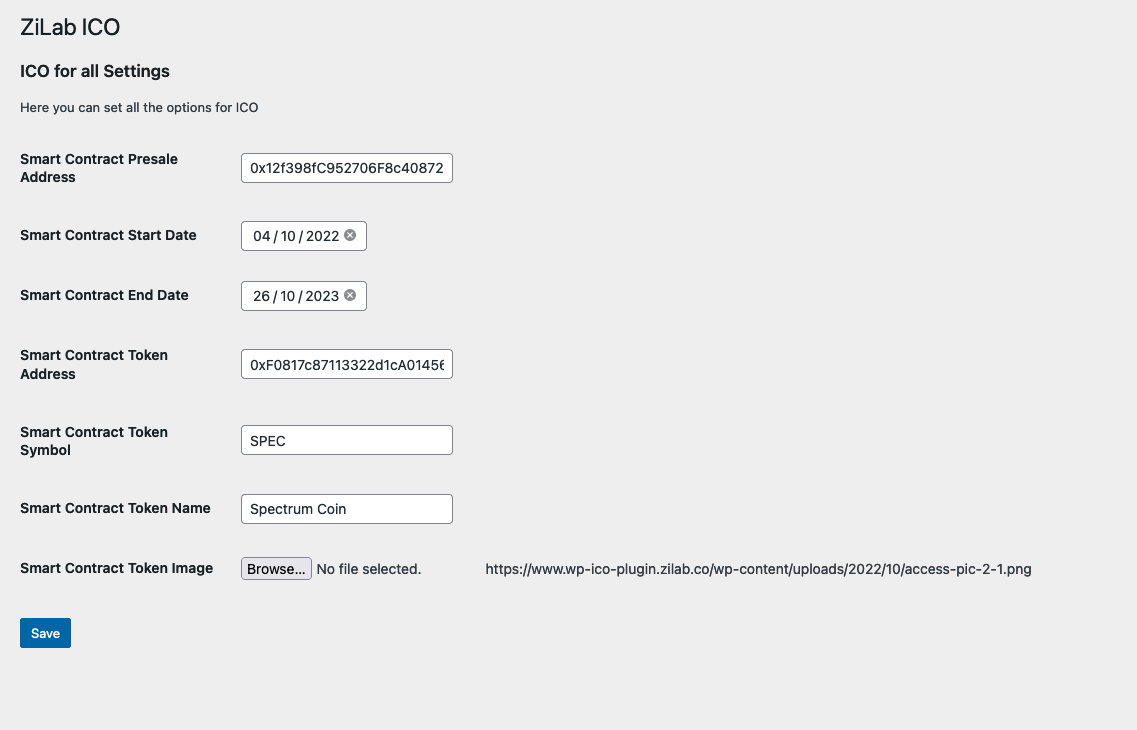
- Smart Contract PreSale Address - Address of the deployed smart contract.
- Smart Contract Start Date - Presale Start Date
- Smart Contract End Date - Presale End date
- Smart Contract Token Address - Address of your own token.
- Smart Contract Token Symbol - Short name of your own token.
- Smart Contract Token Name - Your own token full name
- File - Your Own Token Image
When you save this information, you are ready now to add a “shortcode” on your page.
The shortcode is called - “zilab_ico”, you can add this shortcode on each page where you want to show the form like below.

The form styles can be modified via the CSS. Keep in mind, that there should be only 1 shortcode per page.
If you need any support, or you need a custom blockchain development feel free to contact us anytime. Telegram: @zilab_technologies
Benzer ürünler

Her kursu bir oyuna dönüştürün: Öğrenciler dersler, testler ve kurslar için puanlar ve rozetler kazanırlar. Gamilu çekirdek eklentisi dahildir.
Yayın: Kasım 2026
Birleştirme, sıkıştırma, dönüştürme, imzalama ve OCR için WordPress'e 56 tarayıcı tabanlı PDF aracı ekleyin.
Yayın: Kasım 2026
Kanallarınızı 7/24 WordPress'e yerleştirin ve ziyaretçilerinizin kanalda gezinmesine izin verin. Tek oynatıcıda TV ve radyo.
Yayın: Kasım 2026
CSV içe aktarma, PDF doğrulama ve grup verme ile WordPress sertifikası ve etkinlik yönetimi.
Yayın: Ekim 2026
GPS check-in, personel portalları ve raporlarla WordPress'teki etkinlik, sınıf ve eğitim katılımını yönetin.
Yayın: Ekim 2026
WordPress için uygulama tarzı alt gezinme. Görsel oluşturucu, canlı önizleme, 67 SVG simge, WooCommerce sepet rozeti, 5 başlangıç seti.
Yayın: Ekim 2026