Ana Sayfa / Uygulama Şablonları / WebToNative - Advanced Android WebView Application
WebToNative - Advanced Android WebView Application
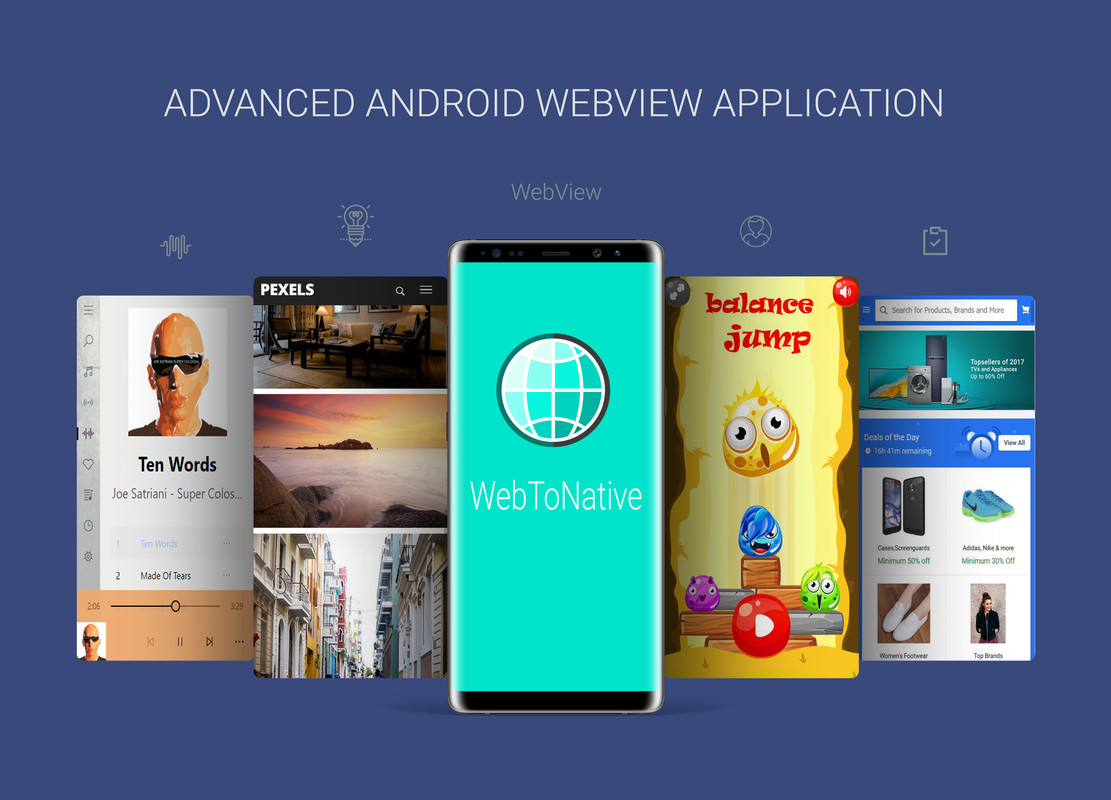
WebToNative, web sitesi içeriğini tam teşekküllü bir Android uygulamasına saran yerel bir Android uygulamasıdır
- Yayın tarihi17 Ekim 2017
- Paket içeriği.html, .apk, .dex, .java, .xml, JavaScript .js
- Son güncelleme22 Eylül 2025

Overview
WebToNative - Advanced Android Webview Application
Android Application

WebToNative Android Application has been Integrated with High End Browser Libraries to wrap your website contents into Advanced Native Android Application with many useful inbuild features and services
WebToNative has an integrated high end browser which is used for processing your web script and provides high performance
WebToNative is a native Android application which uses web view component for displaying content. With this template you can turn your responsive website into a universal mobile app. It is quick, easy and affordable. This App has many useful built-in features and services.
This App has integrated browser. This template provides you easy way to make your own app. It does not require programming skills. Code is easily configurable and customizable. Compatible with all of mobile web sites
WebToNative Android Application supports HTML5 games to run smoothy with the help advanced Web Rendering Engine integrated into this application
Also Compatible with Local HTML Files. so the app does not require internet connection
WebToNative Android Application now supports Push Notification with Google Firebase and OneSignal
Admob Interstitial Ads has been now implemented in WebToNative Android Application, so you can earn money from showing ads. Implementing Admob Interstitial Ads is optional and can be turn ON/OFF in Code.


Changelog
v7.0 – Latest Version
- Implemented Support for Android 16
- Increased Support for Android API Level 36
- Updated Gradle with Latest Version
- Implemented Android Edge To Edge Design Requirement
- Redesigned Splash Screen Functionality
- Implemented Back Button Functionality
- Improved Web Engine and Web Rendering Engine
- Bug fixes
v6.1 – Latest Version
- Implemented Support for Android 14
- Increased Support for Android API Level 34
- Implemented Latest OneSignal Library
- Implemented Changes to Comply with Latest Play Store Guidelines
- Bug fixes
v5.0 - Updated Version
- Implemented Support for Android 11
- Increased Support for Android API Level 30
- Implemented Support for Creating Android App Bundles
- Upgraded Gradle to Latest Version
- Fixed Issues with HTTP Websites
- Improved WebEngine Framework
- Improved Google Services Library
- Bug fixes
v4.0 - Updated Version
- Implemented Support for Android Q 10.0
- Increased Support for Android API 29
- Supports 64bit Architecture
- Updated Libraries To Support 64bit Version
- Fixed Some Issues with WebView Engine
- Supports both Architecture 32bit & 64bit Currently
- Bug fixes
v3.0 - Updated Version
- Implemented Support for Android Pie 9.0
- Increased Support for Android API 28
- Improved Web Engine Framework
- Updated Libraries To Support Smooth Rendering Of Web Pages
- Fixed an problem with Video Rendering
- Bug fixes
v2.0 – Updated Version
- Implemented Support for Android Oreo 8.1
- Increased Support for Android API 27
- Implemented Download Feature supports Background Downloading
- Fixed an Issue with Upload function
- Fixed an Issue with fullscreen
- Updated High End WebView Libraries
- Bug fixes
v1.2 – Updated Version
- Fixed an bug in Push Notification
- Fixed issue with Full Screen mode
- Fixed an problem with Admob Ads
- Bug fixes
v1.1 - Updated Version
- Push Notification implemented
- Admob Interstitial Ads implemented
- Improved Web Engine framework
- Fixed an issue with white bar appearing on the top of the screen
- Implemented Full Screen mode
- Bug fixes
Initial Version
- improved changes in Web view
- implemented new framework for web engine
- improved changes to load website faster
- fixed problem with video Play
- fixed problem with clickable icons
- Bug fixes
Check out more : WebToNative - Advanced iOS WebView Application (iPhone / iPad) : Check Here
WebToNative - Advanced Mac WebView Application : Check Here
Features
Push Notification Supported Integrated inline browser with WEBGL support Compatible with Local HTML Files (Offline Mode) Supports Audio and Video Playback Admob Interstitial Ads (optional) Supports Rendering of HTML5 Games Very responsive Developed with Android Studio & Gradle Upload images from the device storage Avoids crashing of android apllication Play music in mobile with high end supported API integrated ( from Android 4.1 to Latest Android Version ) Upload files from the device Material design following Android Design Guidelines Plays youtube video Press back key twice to exit Cache Enabled Email system supported Share link supported Full screen Custom load background image Download mp4, mp3 Pdf and other Share Button Supported Open external Links SplashScreen landscape and portrait mode suppotedand many more...
Benzer ürünler

Web siteniz için birkaç dakika içinde hızlı yüklenen bir uygulama oluşturun .
Yayın: Ocak 2020
WebView App - Admob reklamlı Android Webview. Web sitesini android uygulamasına dönüştürün.
Yayın: Eylül 2022
Bu uygulama web sitenizi tamamen duyarlı bir mobil uygulamaya dönüştürür
Yayın: Ağustos 2019
Web sitenizi Android uygulamasına dönüştürün - Android için Webview App kodu
Yayın: Mart 2019
Birçok özellikli çok gelişmiş bir Web view ve web'den uygulamaya dönüştürücü. Birçok özelliği var
Yayın: Kasım 2017
WebView ile dakikalar içinde web sitenizi uygulamaya dönüştürün - Kolay.
Yayın: Kasım 2022