Ana Sayfa / Uygulama Şablonları / Roamify - Flutter UI Kit
Roamify - Flutter UI Kit
Kusursuz seyahat uygulaması geliştirme için özelleştirilebilir ekranlar, akıcı animasyonlar ve sağlam mimariyle Flutter için nihai Seyahat UI kiti
- Yayın tarihi27 Eylül 2024
- Paket içeriği.rb, .css, .html, .h, .swift, .java, .xml
- Son güncelleme27 Eylül 2024
- Canlı demoVar

Overview
Flutter Travel UI Kit | Clean Architecture & Bloc State Management

Welcome to the ultimate Travel UI kit, built with Flutter and designed for developers looking to streamline the creation of travel-related apps. This comprehensive kit incorporates modern, high-quality screens that are fully customization, making it an excellent foundation for any travel app. With the power of Bloc for state management and the robustness of clean architecture principles, this kit ensures both maintainability and scalability for your project. Whether you're developing a travel booking app, a tourism guide, or a personalized itinerary planner, this kit covers every essential feature. The UI components are crafted with care, ensuring a seamless, visually appealing experience for users. You'll find smooth animations, responsive design, and intuitive navigation flows that adapt to any screen size or orientation, ensuring a consistent experience across devices. This kit includes everything from user authentication flows to profile management, exploration features, and notification systems. Each screen is built to be clean, minimalist, and efficient, allowing you to focus more on customization and business logic rather than UI design. With its clean architecture, the code is modular, testable, and easy to understand, making it perfect for teams and solo developers alike.
Here s a breakdown of the features included in this kit:
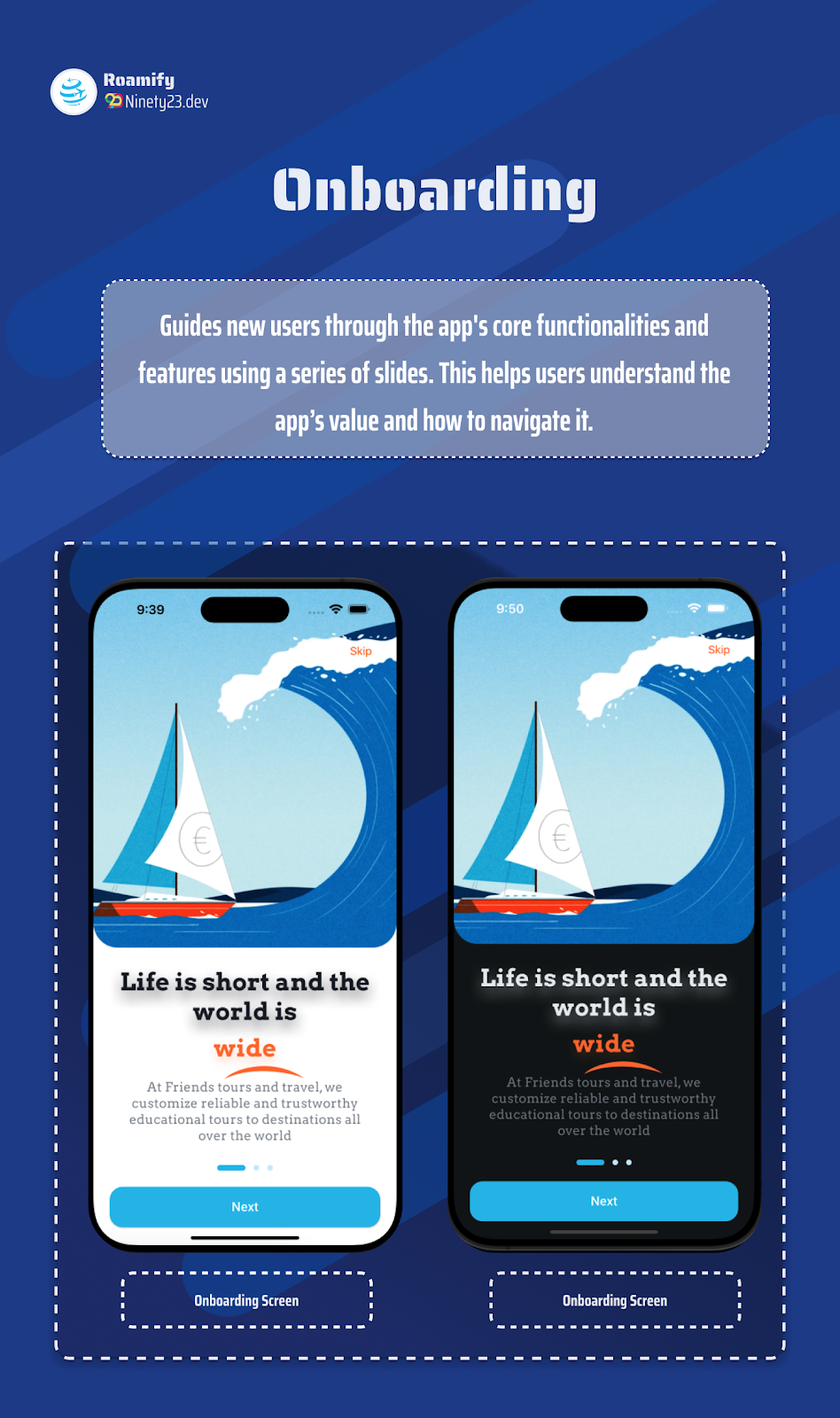
- Onboarding Screen: Engaging introduction to guide users through the app s main features.
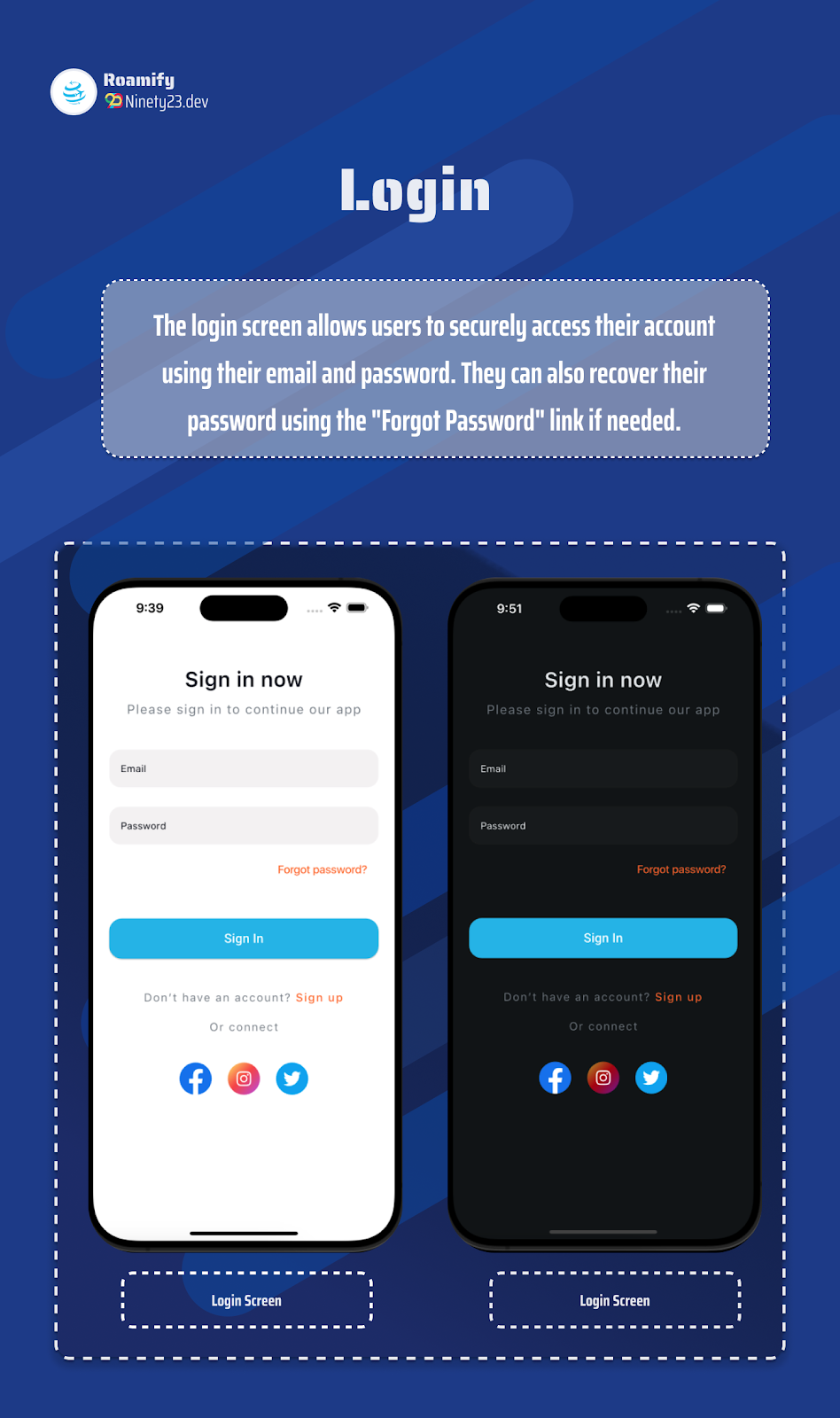
- Login Screen: Simple yet secure authentication process.
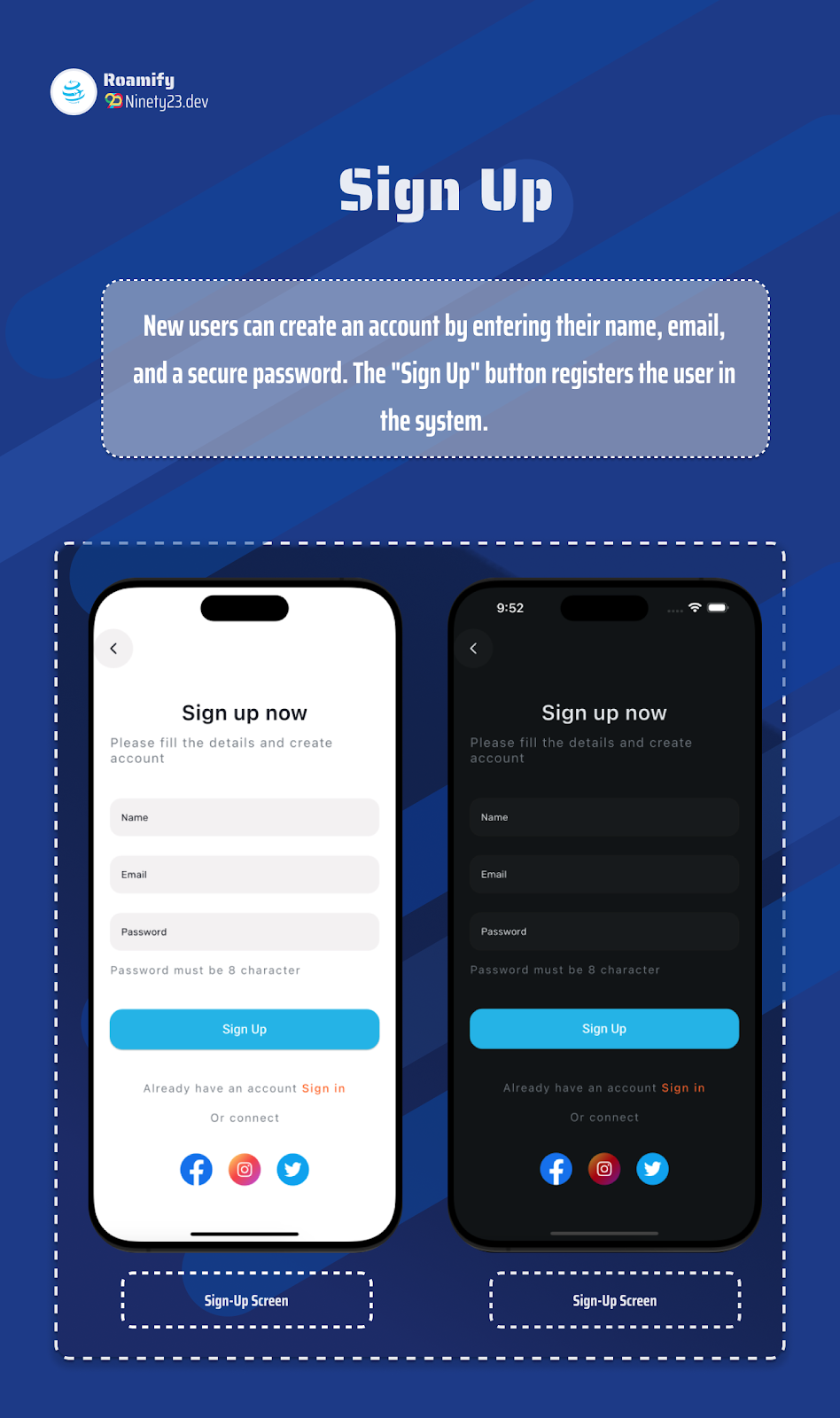
- Sign Up Screen: Smooth registration with form validation.
- Confirm Phone Screen: Phone number verification for added security.
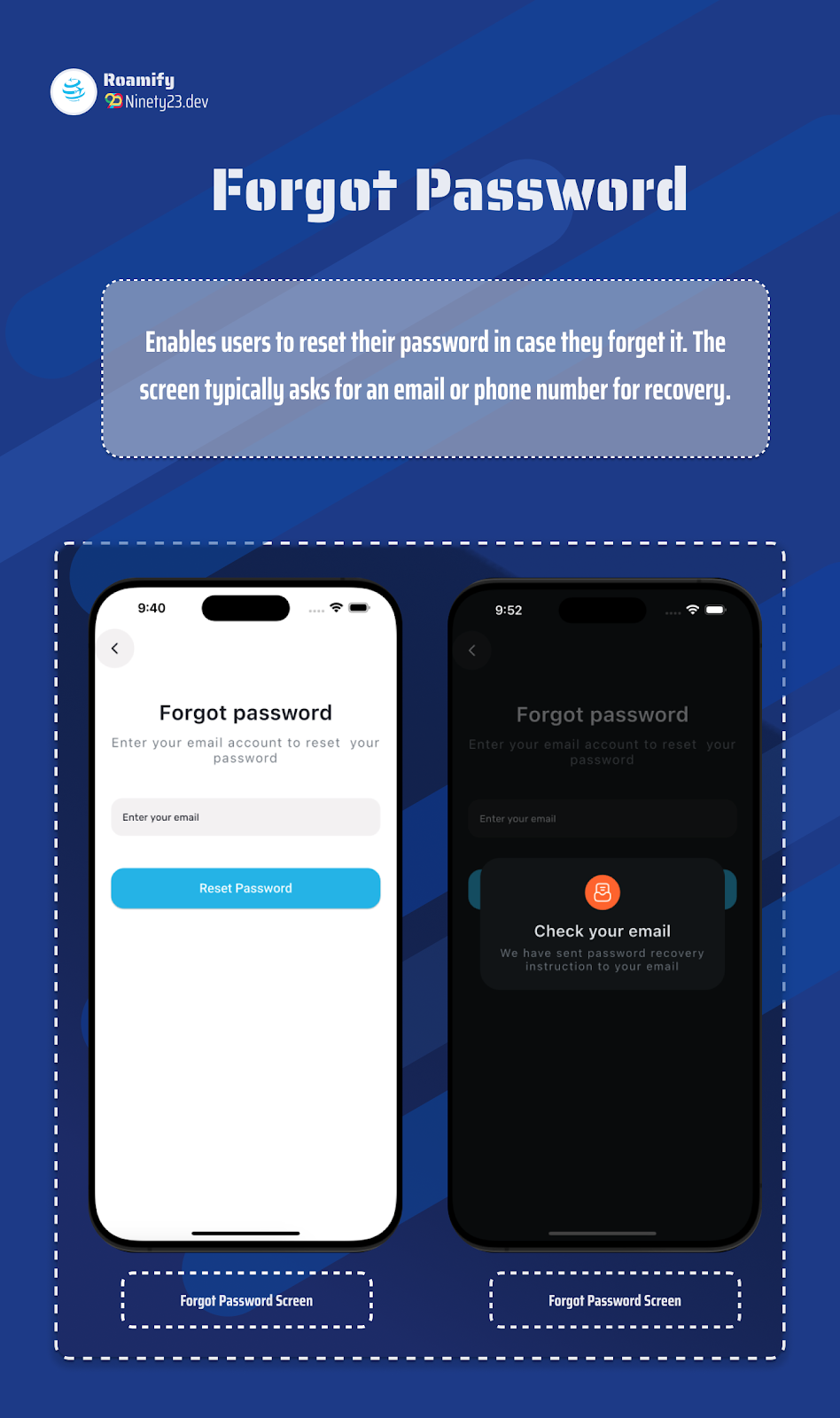
- Forgot Password Screen: Easy recovery options for users to reset their credentials.
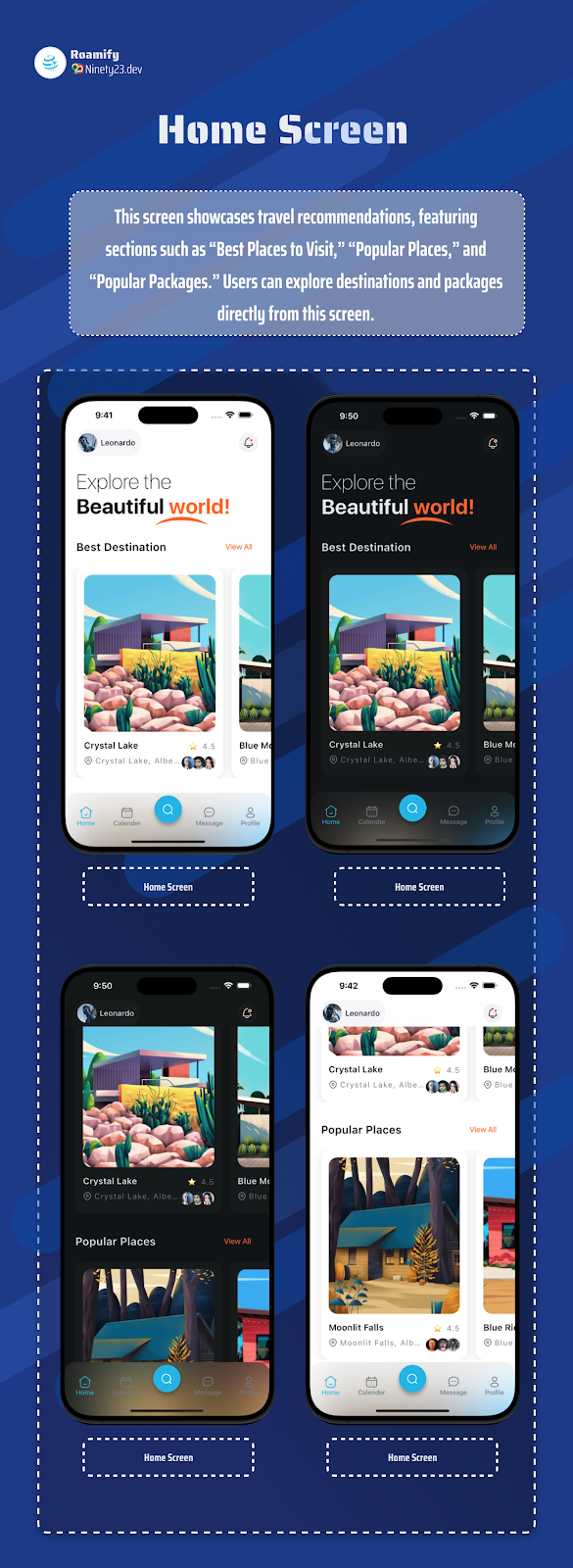
- Home Screen: The central dashboard featuring popular destinations, travel packages, and curated recommendations.
- Place Search Screen: Allow users to search for places by name, location, or category.
- Place Details Screen: Detailed view of places, including images, ratings, reviews, and descriptions.
- Message Screen: Centralized inbox for user communication.
- Conversation Screen: In-app chat functionality for one-on-one conversations.
- Schedule Screen: Display of user-specific itineraries or travel schedules.
- Profile Screen: User s personal information and settings at a glance.
- Profile Management Screen: Full control over account details, including password changes and profile picture updates.
- Profile Details Screen: View of specific details related to the user s profile.
- Previous Trips Screen: A history of completed trips, allowing users to review past travel experiences.
- Favorite Place Screen: Users can save and revisit their favorite destinations for easy access.
- Popular Package Screen: Display of popular travel packages for users to browse and book.
- Account Deletion: Simple and clear options for users to permanently delete their account.
- Notification Management Screen: Allows users to manage notifications, ensuring they stay updated with travel deals, trip reminders, and more.

<img style="max-width:585px;" src="https://l
Features
Features of the Travel UI Kit
- Onboarding Screen
- Login Screen
- Sign Up Screen
- Confirm Phone Screen
- Forgot Password Screen
- Home Screen
- Place Search Screen
- Place Details Screen
- Message Screen
- Conversation Screen
- Schedule Screen
- Profile Screen
- Profile Management Screen
- Profile Details Screen
- Previous Trips Screen
- Favorite Place Screen
- Popular Package Screen
- Account Deletion
- Notification Management Screen
Requirements
Environment Details
- Flutter - 3.24.1
- Dart - 3.5.1
- DevTools - 2.37.2
Benzer ürünler

Yeniden kullanılabilir Flutter ekranları, özelleştirilebilir marka ve yerel demo verileriyle bir hizmet randevu arayüzü oluşturun.
Yayın: Ekim 2026
Üretime hazır Flutter temiz mimari şablonu: tak ve çalıştır Supabase/Firebase kimlik doğrulama, Riverpod 2.6 ve 35 otomatik...
Yayın: Kasım 2026
83 Flutter ekranı, antrenman takibi, rezervasyon düzenleri, sahte veriler ve açık veya koyu temalarla bir spor salonu uygulama arayüzü oluşturun.
Yayın: Ekim 2026
Müşteri, işletme ve sürücü uygulamalı, 122 ekran, tek sipariş modeli, karanlık mod, Arapça RTL ve sahte veriyle çalışan Flutter UI kit.
Yayın: Ekim 2026
107 ekran, sahte veri, karanlık mod ve Arapça RTL desteğiyle Flutter bankacılık ve e-cüzdan arayüzü oluşturun.
Yayın: Eylül 2026
Oriel, 79 ekran, sahte veri, harita araması ve İngilizce ile Arapça düzenler içeren bir Flutter emlak UI kit'idir.
Yayın: Eylül 2026