Ana Sayfa / Eklentiler / X4Email Pro - WordPress Plugin
X4Email Pro - WordPress Plugin
X4EMAIL Pro; SMTP, güvenli teslimat, özel şablonlar ve tam e-posta takibi için güçlü bir WordPress ve WooCommerce e-posta eklentisidir
- Yayın tarihi27 Ocak 2026
- Nerede çalışırWooCommerce 9.x, WordPress 6.8
- Son güncelleme27 Ocak 2026


Overview
X4EMAIL Pro is a powerful all-in-one email management plugin for WordPress, built to give you full control, security, and visibility over every email your website sends.From reliable SMTP delivery to beautifully designed WooCommerce email templates and detailed email logs, X4EMAIL Pro ensures your emails look professional, reach inboxes, and perform flawlessly.
Whether you run a WooCommerce store, manage client websites, or operate a business-critical WordPress platform, X4EMAIL Pro transforms WordPress email into a professional communication system.
Features
📬 Advanced SMTP Configuration
- Custom SMTP server configuration with full control
- TLS / SSL encryption support
- Compatible with Gmail, Outlook, Zoho, Amazon SES, and more
- Test email system with detailed debug output
- Automatic email validation and MX record checks
- Fail-safe error handling and delivery diagnostics
🛒 WooCommerce Email Templates (Fully Customizable)
Take complete control of WooCommerce transactional emails:
- Modern, responsive email templates for all WooCommerce notifications
- Supports all order statuses:
- New Order
- Processing
- Completed
- On-Hold
- Failed
- Refunded
- Cancelled
- Separate templates for customers and administrators
- Dynamic content blocks for:
- Order details
- Customer information
- Billing & shipping data
- Product listings and totals
🎨 Visual Email Template Builder
Design professional emails without coding:
- Drag-and-drop email editor
- Pre-built WooCommerce components
- Live preview while editing
- Mobile-responsive email layouts
- Reusable blocks and templates
📊 Comprehensive Email Logging & Analytics
Gain full visibility into every email sent from your site:
- Detailed email logs with timestamps
- Track delivery success and failures
- Error reporting with SMTP responses
- Filter logs by:
- Recipient
- Email type
- Status
- Date range
🔒 Enhanced Security Features
Protect your WordPress admin and email system:
- Two-Factor Authentication (2FA) for admin users
- Admin login alert emails
- Security-focused email logging
- Confirmation workflows for sensitive actions
- Secure sanitization and validation of all email data
⚙️ Advanced Email Management
Built for power users and professionals:
- WooCommerce email hook management
- Override default WooCommerce email templates
- Clean, modern admin UI
- Central dashboard with performance insights
- Optimized for speed and low server load
🎯 WooCommerce Email Coverage
Customer Emails
- Order confirmation (Processing)
- Order completed
- Failed payment notifications
- Refund notifications
- Customer notes
- New account welcome email
- Password reset email
Admin Emails
- New order alerts
- Failed order notifications
- Cancelled order alerts
- Low stock notifications
Requirements
Before installing X4EMAIL Pro, please ensure your server and WordPress environment meet the following requirements:
🔧 Server Requirements
- PHP Version: 7.4 or higher (PHP 8.0+ recommended)
- MySQL: 5.7+ or MariaDB: 10.3+
- Web Server: Apache or Nginx
- SSL Certificate: Required for secure SMTP (TLS/SSL)
- cURL: Enabled
- OpenSSL: Enabled
- mbstring: Enabled
- JSON: Enabled
- allow_url_fopen: Enabled
🌐 WordPress Requirements
- WordPress Version: 5.8 or higher
- WooCommerce Version: 6.0 or higher (required for WooCommerce email features)
- WP-Cron: Enabled
- REST API: Enabled
- WP Mail Function: Enabled (for fallback emails)
📧 Email / SMTP Requirements
- Valid SMTP credentials (Gmail, Outlook, Zoho, Amazon SES, etc.)
- SMTP ports open (commonly 587, 465, or 25)
- Proper DNS configuration (SPF, DKIM, DMARC recommended)
- Valid sender email address with domain access
🔐 Security Requirements (Optional but Recommended)
- HTTPS enabled for admin panel
- PHP session support enabled
- Email inbox access for 2FA verification codes
- Ability to receive admin login notification emails
🛠️ Browser Requirements (Admin Panel)
- Latest version of Chrome, Firefox, Edge, or Safari
- JavaScript enabled
- Cookies enabled
⚠️ Notes
- Shared hosting is supported, but VPS or cloud hosting is recommended for high email volume.
- Some hosting providers block SMTP ports by default—please confirm with your hosting provider.
- Email delivery success depends on proper SMTP and DNS configuration.
Benzer ürünler
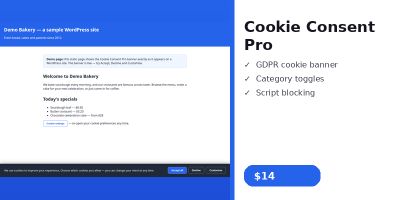
WordPress sitenize özelleştirilebilir bir çerez başlığı, izin kategorileri, tercihler merkezi ve komut dosyası engelleme ekleyin.
Yayın: Kasım 2026
Kategoriler, erişilebilir bir akordeon ve FAQPage JSON-LD işaretlemesi ile aranabilir SSS'leri WordPress sitenizde görüntüleyin.
Yayın: Kasım 2026
Görüntüleri erişilebilir, sürüklenebilir bir öncesi-sonrası kaydırıcısı, kısa kodu ve WordPress için Gutenberg bloğuyla karşılaştırın.
Yayın: Kasım 2026
WordPress sitenize tebrik balonu, çalışma saatleri, kısa kod ve widget içeren kayan bir WhatsApp sohbet düğmesi ekleyin.
Yayın: Kasım 2026
ChatGPT, Perplexity, Google Gemini ve Claude'da markadan bahsedilenleri ve alıntıları doğrudan WordPress kontrol panelinizden takip edin.
Yayın: Kasım 2026
YOP-FAQ; WordPress SSS'lerini akordeon düzenleri, canlı arama, SEO araçları, analizler ve editör entegrasyonlarıyla yönetir.
Yayın: Kasım 2026