Overview
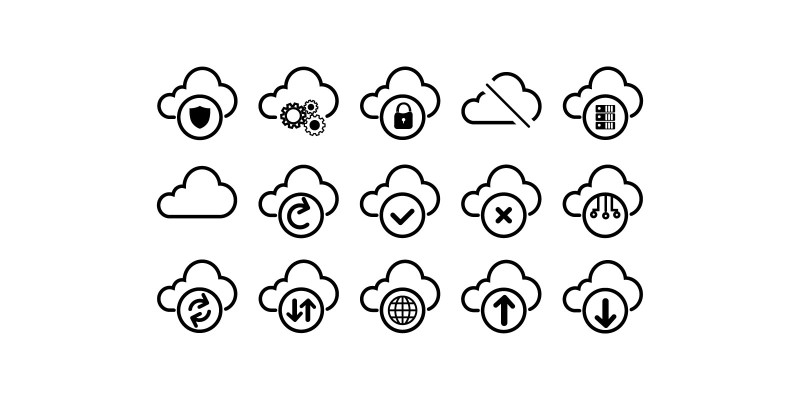
CloudStack is a comprehensive icon collection designed specifically for cloud computing, data infrastructure, and server architecture visualization. This collection features 100+ meticulously crafted vector icons in SVG, PNG, and AI formats, perfect for web applications, dashboards, documentation, and technical presentations. Each icon is designed with clean lines, consistent styling, and optimal scalability to ensure they look sharp at any size. The collection includes icons representing cloud services, servers, databases, networking components, storage solutions, security elements, and data flow visualization. All icons are created with a cohesive design language, making them ideal for creating professional interfaces for SaaS platforms, cloud management tools, data center monitoring systems, and IT infrastructure documentation. This icon set is fully customizable with any vector editing software and comes with a comprehensive license for commercial use in digital products. The icons are optimized for web use with clean code and proper grouping, making integration into your projects straightforward and efficient.
Features
- professionally designed vector icons
- Cloud infrastructure icons: servers, data centers, cloud providers
- Database icons: SQL, NoSQL, data warehouses, data lakes
- Networking icons: routers, switches, firewalls, load balancers
- Storage icons: SAN, NAS, object storage, backup systems
- Security icons: shields, locks, encryption, authentication
- Data flow and architecture visualization icons
- Consistent design language and styling
- Fully scalable EPS vector formats
- Commercial use license included
- Optimized for web and mobile applications
- Clean EPS code with proper grouping
- Monochrome and color variants included
- Organized in categorized folders
- Regular updates with new icons
Requirements
- Vector editing software (Adobe Illustrator, Inkscape, Figma) for customization
- Basic web development knowledge for EPS integration
- Modern web browser for EPS rendering
- Text editor for code-based customization
Benzer ürünler

Bulut Fikirleri Logo Tasarımı, Bulutlu Yaratıcı Ampul logosu, modern bulut logosu, veritabanı sunucu logosu, yazılım veri depolama logosu
Yayın: Kasım 2025
Oynat, duraklat, ses, müzik ve video sembollerini içeren temiz modern çoklu ortam vektör ikonları seti.
Yayın: Şubat 2026
Doğrusal arama ve tarayıcı arayüzü ikonlarından oluşan minimal bir set. Büyüteç, belge arama ve gezinme sembolleri içerir. Tam
Yayın: Şubat 2026
Bulut depolama, sunucu ve veri yönetimi ile teknoloji ikonları içeren modern Veritabanı Vektör İkon Paketi. Web siteleri, uygulamalar ve UI/UX için ideal
Yayın: Ağustos 2025
50 ölçeklenebilir ikon içeren çoklu stillerde Ağ ve İletişim Vektör İkon Paketi (AI, SVG, PNG).
Yayın: Temmuz 2025
Veri Depolama, Sunucu ve Aktarım; kişisel dosyalarınız, eğlence, iş, müzik, filmler ve daha fazlası için. Depolama artık bulutta
Yayın: Temmuz 2023