Ana Sayfa / Kod ve Scriptler / Ordio - Complete Online Ordering Solution
Ordio - Complete Online Ordering Solution
İşletmeniz için eksiksiz çevrim içi sipariş çözümü — vitrin, ödemeler, siparişler, kuponlar, ürünler ve çoklu konum.
- Yayın tarihi16 Ağustos 2026
- Paket içeriği.css, .html, JavaScript .js
- Son güncelleme31 Ağustos 2026
- Canlı demoVar

Overview
Complete online ordering solution
Your storefront. Your orders. Your system.
Ordio gives a business everything it needs to take and manage orders online - from a branded customer storefront through to payment, fulfilment and day-to-day order operations.
01 Customer ordering
Customers get a fast ordering experience.
Browse products, choose collection or delivery, pay and track orders.
02 Business operations
Your business gets the control centre.
Manage incoming orders, products, locations, ordering hours, payments, coupons, customers and fulfilment from one dashboard.
One business. One complete ordering system.
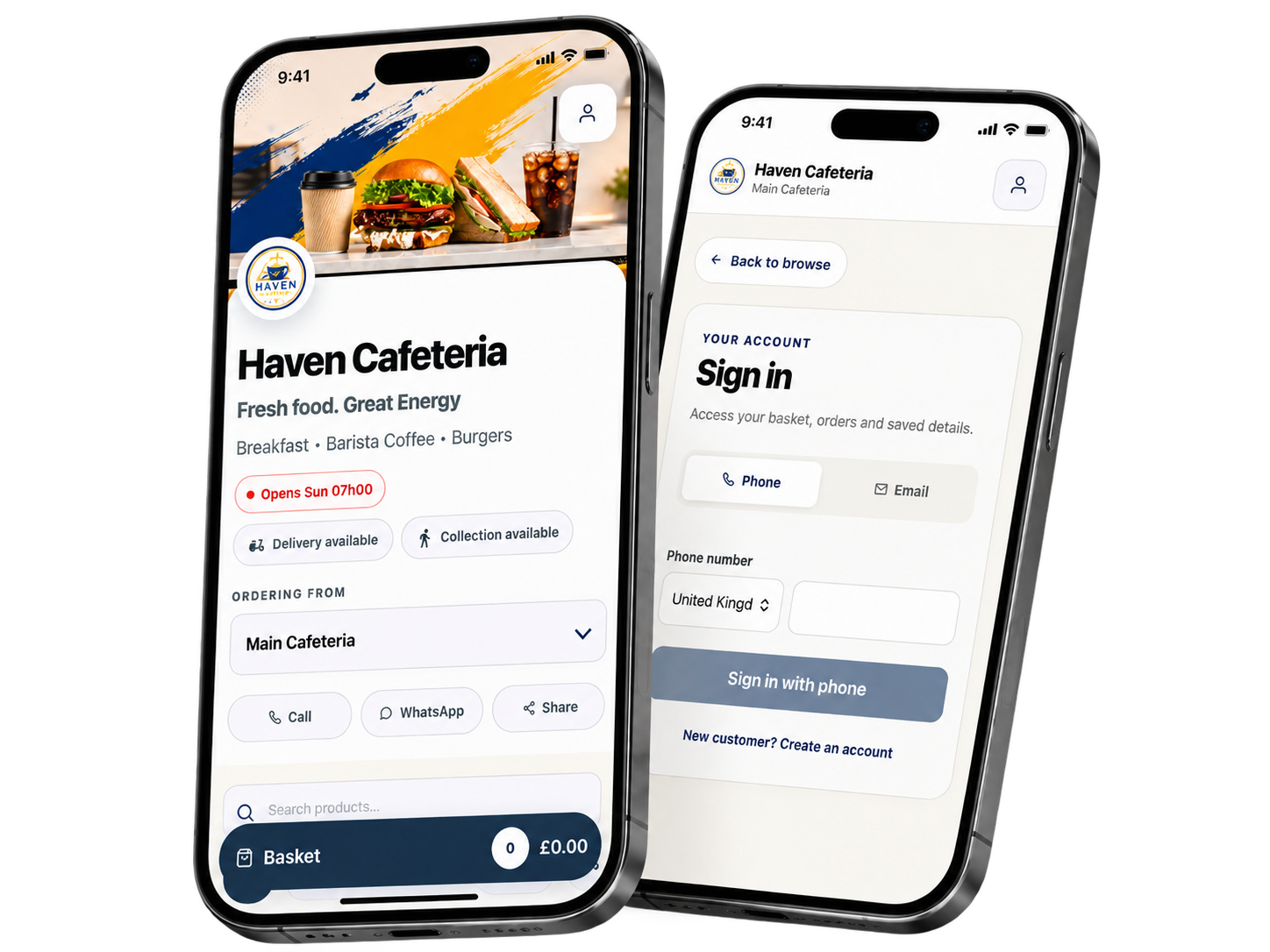
Customer storefront
Make ordering simple for customers
Give customers a branded place to browse products, choose collection or delivery, pay and track their orders across mobile and desktop screens.
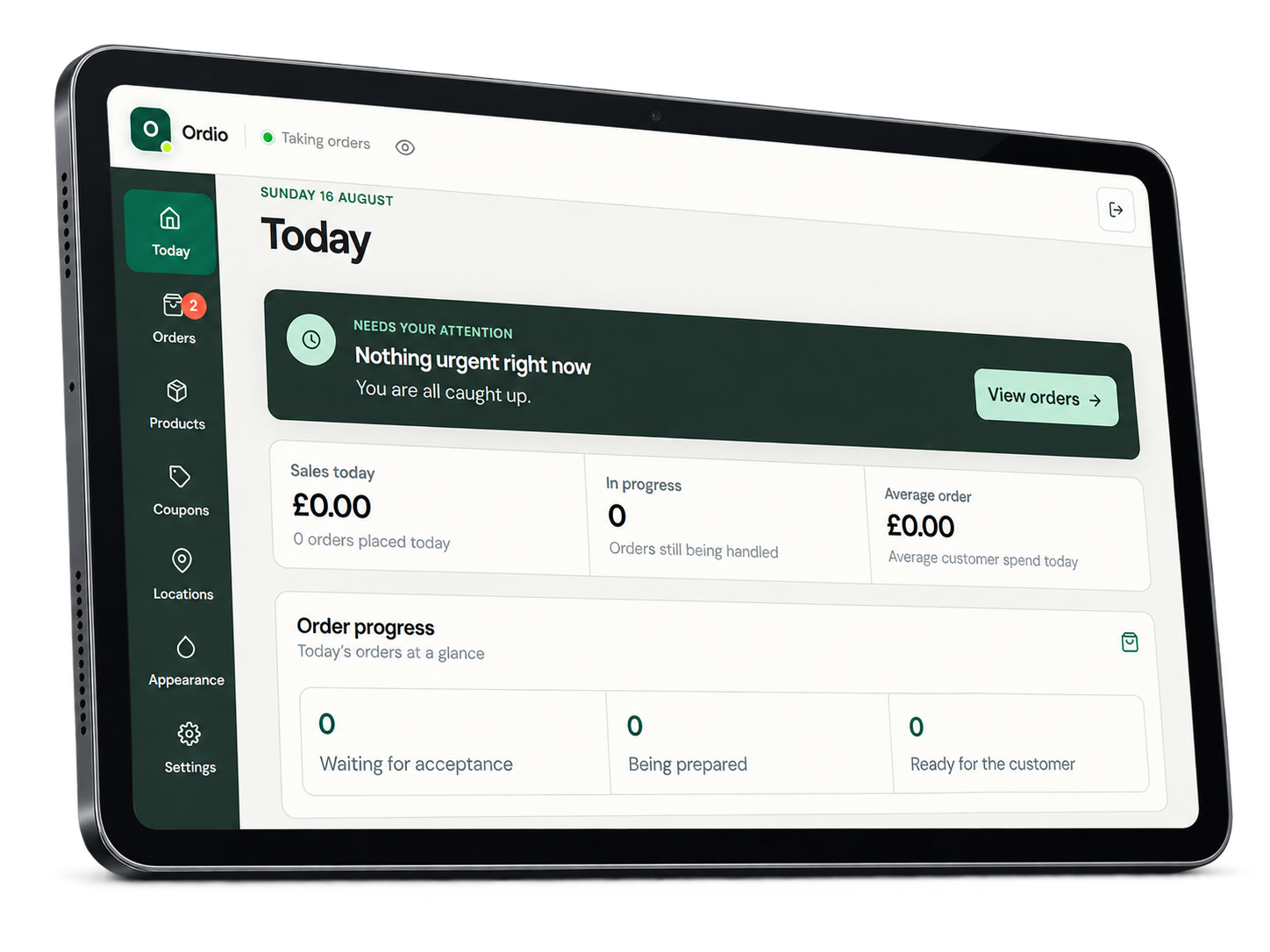
Business dashboard
Stay on top of daily orders
Manage orders, products, locations, business hours, payments, coupons and storefront settings from one focused dashboard.
Customer demos
Experience Ordio as a customer
Explore two storefronts and follow the customer journey from sign-in to ordering and order tracking.
Haven Cafeteria
A food-ordering storefront with collection, delivery and customer order tracking.
Features
What is included
Features for everyday online ordering
The tools a business needs to present its products, accept orders and manage fulfilment from one place.
01
Product Management
Create products, categories, prices, descriptions, images, add-ons and availability. A CSV template is included for product imports.
02
Order Management
Review incoming orders, customer contact details, payment status, fulfilment method and order progress. Export order data to CSV when needed.
03
Collection & Delivery
Offer collection, delivery or both. Configure fulfilment options and supported delivery fees for each location.
04
Flexible Payments
Accept supported online payments through Stripe, PayPal, Paystack or Yoco, and offer manual payment where suitable.
05
Branded Customer Storefront
Apply the business logo, favicon, colours, hero image, storefront copy and footer content without editing source files.
06
Location Management
Configure business locations and let customers choose where they are ordering from when more than one location is available.
07
Ordering Hours
Set working hours by location and clearly show customers when ordering is open, closed or temporarily paused.
08
Coupons & Promotions
Create percentage or fixed-value coupon codes with practical usage controls for customer orders.
09
Customer Communication
Call or message customers from the order workflow and provide clear Call, WhatsApp and Share actions on the storefront.
10
Responsive Ordering
Give customers a mobile-first storefront with layouts designed for phones, tablets and desktop screens.
<h3 style="margin:0 0 8px;color:#092f2
Requirements
Before installation
Requirements
Prepare these accounts and services before following the installation guide.
1. Node.jsNode.js 22.12 or newer from a currently supported release line.
2. Firebase projectA Firebase project on the Blaze plan so Cloud Functions and the required backend services can be deployed.
3. Firebase servicesAuthentication, Firestore, Storage and Cloud Functions enabled in the Firebase project.
4. Web hostingAn HTTPS-enabled host for the built storefront and business dashboard. Netlify is covered in the documentation.
5. Sign-in methodEnable Email/Password authentication. Enable Phone authentication as well if customers will sign in with a mobile number.
6. Local accessA terminal, permission to install npm packages and access to the Firebase and hosting accounts used for the installation.
Optional provider accounts
Provider accounts are only required for the services you choose to use: Stripe, PayPal, Paystack or Yoco for online payments; Meta WhatsApp Cloud API for WhatsApp notifications; and Google Maps Platform for delivery zones and address services.
Benzer ürünler

React Restoran POS 2.0. WhatsApp Otomasyonu, Kodsuz Beyaz Etiket, Akıllı CRM ve Gerçek Zamanlı Senkronizasyon. PWA Uygulaması, Aylık Ücret Yok!
Yayın: Ocak 2026
Şık bir e-ticaret vitrini ve yönetici CMS'i ile işletmelerin çevrimiçi mağazalarını hızlıca açmasını ve yönetmesini sağlayın
Yayın: Mart 2025
React kaynak kodu, DuckDB-Wasm, CSV/XLSX eşleme, inceleme kanıtları ve Excel raporlarıyla VND veya USD verilerini çevrimdışı mutabakat yapın.
Yayın: Ekim 2026
TikTok ve Instagram Reels'ten esinlenen, video reels, hikâyeler, mesajlaşma ve canlı yayın entegrasyonlarına sahip React ve Supabase sosyal PWA.
Yayın: Ekim 2026
WebAR, 360° görünümler, PWA, Stripe, RTL, Birlikte Alışveriş ve 25+ yönetici modülü içeren tam yığın Next.js lüks e-ticaret.
Yayın: Ekim 2026
React ve Supabase uygulamasıyla restoran QR menülerini, masa siparişlerini ve yemek kullanılabilirliğini yönetin.
Yayın: Eylül 2026