Ana Sayfa / Eklentiler / AI FAQ Manager - WordPress FAQ Plugin
AI FAQ Manager - WordPress FAQ Plugin
OpenAI ve Google Gemini ile WordPress yazılarından, sayfalarından ve WooCommerce ürünlerinden yapay zekâ destekli SSS'ler oluşturun.
- Yayın tarihi2 Ekim 2026
- Nerede çalışırWooCommerce 3.0.x, WooCommerce 4.x, WooCommerce 5.x, WooCommerce 6.x, WooCommerce 7.x, WooCommerce 8.x, WordPress 6.5, WooCommerce 9.x, WordPress 6.6, WordPress 6.7, WordPress 6.8, WordPress 6.9, WordPress 7.0, WordPress 7.1, WooCommerce 3.x, WooCommerce 10.x, WooCommerce 11.x
- Paket içeriği.php, .css, .html, JavaScript .js
- Son güncelleme2 Kasım 2026


Overview
AI FAQ Manager – AI-Powered WordPress FAQ Plugin
Create Better FAQs in Seconds with AI
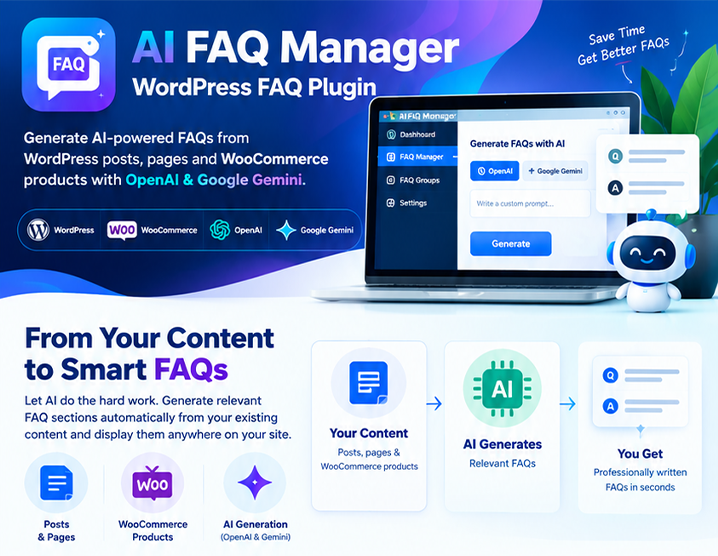
AI FAQ Manager is a powerful WordPress FAQ plugin that helps you create, manage, and display professional FAQs without writing every question and answer manually. Generate relevant FAQs automatically from your existing WordPress posts, pages, and WooCommerce products using OpenAI or Google Gemini. Then display your FAQs anywhere on your website using Gutenberg, shortcodes, FAQ groups, or automatic placement. Whether you run a WooCommerce store, blog, business website, SaaS platform, affiliate website, or client websites, AI FAQ Manager turns your existing content into useful, searchable FAQ sections in just a few clicks.
Why AI FAQ Manager?
Creating FAQs manually takes time. AI FAQ Manager automates the repetitive part while keeping you in control. Generate → Review → Customize → Publish No coding required.
AI FAQ Generator – OpenAI & Google Gemini
Generate questions and answers directly from your existing WordPress content.
Supported AI providers
- OpenAI
- Google Gemini
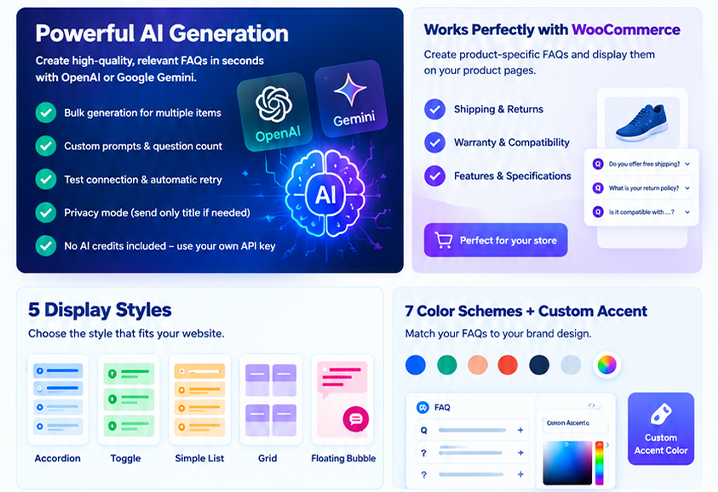
AI-powered features
- Automatically generate FAQs from posts, pages, and WooCommerce products
- Generate FAQs in bulk for multiple posts or products
- Create custom prompts for better control over generated content
- Control the number of questions generated
- Choose the language and writing style through custom prompts
- Test your API connection before generating FAQs
- Automatic retry and rate limiting for more reliable generation
- Privacy mode for sites that do not want to send full content to the AI provider
- Bring your own API key – no AI subscription is included with the plugin
You use your own OpenAI or Google Gemini API key, so AI usage is billed directly by the provider.
Turn Any WordPress Content into FAQs
AI FAQ Manager works directly with your existing WordPress content. Generate FAQs from:
- WordPress Posts
- WordPress Pages
- WooCommerce Products
For example, a WooCommerce product can automatically generate questions about:
- Shipping
- Returns
- Warranty
- Compatibility
- Features
- Specifications
- Product usage
This makes it especially useful for stores with large product catalogs.
Built for WooCommerce
AI FAQ Manager includes dedicated support for WooCommerce products. Generate product-specific FAQs directly from your product content and display them on product pages using:
- Automatic display
- Gutenberg block
- Shortcodes
- FAQ Groups
FAQ content generated for WooCommerce products can also be included in the plugin's FAQPage structured data.
5 FAQ Display Styles
Choose the presentation style that best matches your website.
Accordion
A classic expandable FAQ layout where visitors can open individual questions.
Toggle
Allow visitors to independently expand and collapse FAQ items.
Simple List
A clean text-based FAQ layout suitable for documentation and information pages.
Grid
Display FAQs in a responsive multi-column layout.
Floating Bubble
Add a chat-style floating FAQ widget with live question search.
7 Built-In Color Schemes + Custom Accent Color
Match your FAQs to your website design. Available color schemes include:
- Default
- Blue
- Green
- Red
- Dark
- Minimal
You can also select a custom accent color to match your brand.
Gutenberg Integration
AI FAQ Manager is designed to work naturally with the WordPress block editor. The native Gutenberg block provides:
- Live FAQ preview
- Display style controls
- Color controls
- FAQ source selection
- FAQ management
- AI FAQ generation directly from the editor
You can create and manage FAQs without leaving the WordPress editing experience.
Shortcodes
Display FAQs anywhere on your website using simple WordPress shortcodes.
Display an FAQ Group
[afqm_faqs group="shipping" style="accordion" color="blue" columns="2"]
Display a Specific FAQ
[afqm_faq id="123"]
Link Directly to a Specific FAQ Item
[afqm_faq id="123" item="afqm-xxxxxxxx"] Shortcodes are available directly from the FAQ Manager interface for easy copying.
Automatic FAQ Display
Don't want to add shortcodes manually? Use the built-in automatic display feature to append FAQs to:
- Posts
- Pages
- WooCommerce products
The plugin also includes duplicate protection when the same FAQ is already being displayed through a shortcode or Gutenberg block.
FAQ Groups
Organize your FAQs into reusable groups. For example:
- Shipping
- Returns
- Payment
- Pricing
- Warranty
- Product Information
- Support
FAQ Groups use a hierarchical taxonomy, making it easy to organize large FAQ libraries and display a specific group wherever you need it.
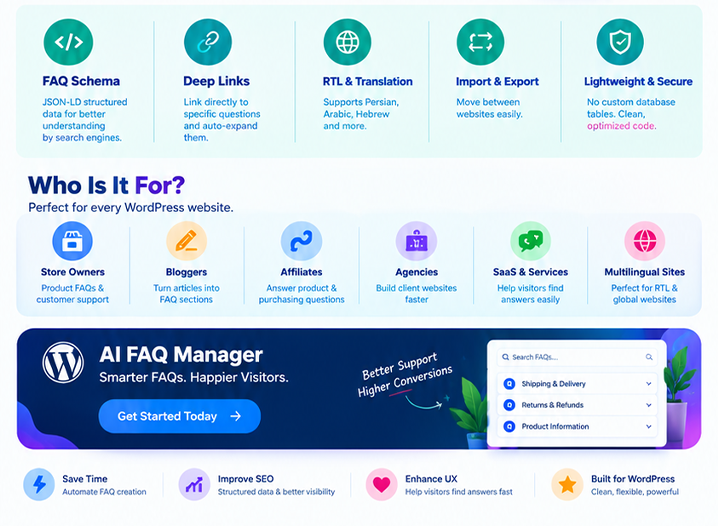
Built-In FAQ Schema & Structured Data
AI FAQ Manager can automatically generate FAQPage JSON-LD structured data for pages containing FAQ content. Additional features include:
- Automatic FAQPage JSON-LD output
- Configurable schema item limit
- Clean schema output
- HTML stripping from schema data
- Stable IDs for individual FAQ questions
- Direct links to specific FAQ items
- Automatic expansion when visitors open a deep link
Important: Structured data does not guarantee Google rich results or search ranking improvements. Search engines decide how and where structured data is displayed.
Deep Links to Individual Questions
Every FAQ question can have a stable anchor ID. You can link directly to a specific question, for example: #afqm-xxxxxxxx When a visitor opens the link, the corresponding FAQ item can automatically expand. This is useful for:
- Support documentation
- Email campaigns
- Customer support replies
- Knowledge bases
- Product documentation
- Internal links
Lightweight WordPress Architecture
AI FAQ Manager is built using standard WordPress functionality.
Developer-friendly architecture
- Uses WordPress Custom Post Types and Taxonomies
- No custom database tables
- Compatible with standard WordPress migrations and backups
- Works with WP_Query
- Documented developer hooks
- Permission-checked REST API endpoints
- Prefixed CSS classes to reduce conflicts
- CSS custom property for accent customization
- Assets are loaded only where FAQs are rendered
- WordPress escaping and sanitization practices
- Nonce and capability checks
Developer Hooks
The plugin provides documented hooks including:
afqm_supported_post_typesafqm_schema_dataafqm_generation_promptafqm_generated_faqsafqm_save_generated_faqs
REST API endpoints are available under: afqm/v1
RTL & Translation Ready
AI FAQ Manager is designed for global WordPress websites.
RTL support
The plugin supports right-to-left layouts and is suitable for languages such as:
- Persian
- Arabic
- Hebrew
FAQ content uses automatic text direction handling for better multilingual support.
Translation ready
A complete .pot translation template is included.
Import & Export
Move your FAQ content between websites easily. Export and import FAQ data as JSON for:
- Staging → Production
- Development → Production
- Client websites
- Website migrations
- Backup workflows
The plugin also provides optional cleanup during uninstall. By default, your FAQ data is preserved.
Privacy Controls
AI FAQ Manager gives you control over what content is sent to your selected AI provider. By default, relevant post content can be used to generate better FAQs. For websites requiring greater privacy, you can enable the option to send only the post title to the AI provider. Your API key is stored in your WordPress installation and is used to communicate with the selected provider's official API endpoint. AI FAQ Manager does not include AI API credits. You use your own API account and pay the provider directly for API usage.
Who Is AI FAQ Manager For?
WooCommerce Store Owners
Create product FAQs that answer common buying questions about shipping, returns, compatibility, warranty, sizing, and product features.
Bloggers & Publishers
Turn existing articles into useful FAQ sections without manually writing every question and answer.
Affiliate Websites
Create FAQs around products, offers, pricing, terms, and purchasing information.
Agencies & Freelancers
Generate and organize FAQ content quickly when building WordPress websites for clients.
SaaS & Service Businesses
Use FAQ groups and the floating FAQ bubble to help visitors find answers to common questions.
Multilingual & RTL Websites
What's Included?
Your purchase includes:
- Installable WordPress plugin
- Complete offline HTML documentation
- Installation instructions
- Configuration documentation
- Shortcode documentation
- Gutenberg block documentation
- REST API documentation
- Developer hooks documentation
- Privacy information
- Troubleshooting guide
- Changelog
Documentation
A complete offline HTML documentation package is included with the plugin. The documentation covers:
- Installation
- Initial configuration
- OpenAI setup
- Google Gemini setup
- AI FAQ generation
- Bulk generation
- Custom prompts
- Privacy settings
- Gutenberg block
- Shortcodes
- FAQ Groups
- Automatic display
- WooCommerce integration
- FAQ Schema
- Import / Export
- REST API
- Developer hooks
- Translation
- RTL support
- Troubleshooting
Support
Support is provided for:
- Plugin installation
- Plugin configuration
- AI provider configuration
- Plugin functionality
- Bug reports
- Compatibility issues directly related to the plugin
For faster support, please provide your WordPress version, PHP version, plugin version, a description of the problem, and relevant screenshots or error messages.
Features
Key Features
- AI FAQ generation with OpenAI
- AI FAQ generation with Google Gemini
- Generate FAQs from posts
- Generate FAQs from pages
- Generate FAQs from WooCommerce products
- Bulk FAQ generation
- Custom AI prompts
- Custom question count
- AI connection testing
- Privacy mode
- Automatic retry and rate limiting
- 5 FAQ display styles
- 7 built-in color schemes
- Custom accent color
- Floating FAQ bubble
- Live FAQ search
- Native Gutenberg block
- Gutenberg live preview
- AI generation from Gutenberg
- Shortcode support
- Automatic FAQ display
- FAQ Groups taxonomy
- WooCommerce integration
- FAQPage JSON-LD structured data
- Configurable schema item limit
- Deep links to individual questions
- Automatic FAQ expansion from deep links
- Import / Export
- Translation ready
- Full RTL support
- Developer hooks
- REST API
- Lightweight asset loading
- No custom database tables
- Clean uninstall options
- Complete offline HTML documentation
Requirements
Requirements
WordPress
WordPress 5.8 or higher.
PHP
PHP 7.4 or higher.
WooCommerce
WooCommerce 5.0 or higher is required only if you want to use WooCommerce product FAQ features.
AI API
An OpenAI or Google Gemini API key is required only for AI-powered FAQ generation. All non-AI FAQ features work without an AI API key.
Instructions
Installation & Setup Instructions
1. Install the Plugin
- Download the plugin package from your Codester account.
- Extract the downloaded ZIP file if necessary.
- In your WordPress dashboard, go to:
Plugins → Add New → Upload Plugin
- Upload the AI FAQ Manager ZIP file.
- Click Install Now.
- After installation is complete, click Activate.
After activation, the AI FAQ Manager menu will appear in your WordPress dashboard.
2. Initial Configuration
Go to: AI FAQ Manager → Settings Review the available settings and configure the plugin according to your website requirements. No AI API key is required if you only want to manually create, manage, and display FAQs. An API key is required only when using AI-powered FAQ generation.
3. Configure OpenAI
To use OpenAI for FAQ generation:
- Open AI FAQ Manager → Settings.
- Select OpenAI as your AI provider.
- Enter your OpenAI API key.
- Select the desired AI model.
- Save the settings.
- Use the Test Connection option to verify the configuration.
You must provide your own OpenAI API key. OpenAI API usage is billed separately by OpenAI and is not included with the plugin.
4. Configure Google Gemini
To use Google Gemini:
- Open AI FAQ Manager → Settings.
- Select Google Gemini as your AI provider.
- Enter your Gemini API key.
- Select the desired model.
- Save the settings.
- Use Test Connection to verify the connection.
You must provide your own Google Gemini API key. Gemini API usage is billed separately by Google and is not included with the plugin.
5. Generate FAQs with AI
After configuring your AI provider:
- Open an existing WordPress post, page, or WooCommerce product.
- Open the AI FAQ Manager generation interface.
- Select the number of FAQs you want to generate.
- Enter a custom prompt if you want additional instructions for the AI.
- Start the generation process.
- Review the generated questions and answers.
- Edit the content if necessary.
- Save the FAQs.
You remain in control of the generated content and can edit the questions and answers before publishing them.
6. Bulk FAQ Generation
AI FAQ Manager can generate FAQs for multiple supported content items. Go to the plugin's bulk generation interface and:
- Select the posts, pages, or WooCommerce products.
- Choose your AI provider.
- Set the number of FAQs to generate.
- Configure your prompt if needed.
- Start the generation process.
- Monitor the generation progress.
For large websites, bulk generation may consume more AI API credits because each content item requires an API request.
7. Create FAQ Groups
FAQ Groups allow you to organize FAQs into reusable categories. For example:
- Shipping
- Returns
- Payment
- Warranty
- Product Information
- Support
Create and manage groups from the FAQ Manager section of your WordPress dashboard. You can then display a specific FAQ Group using the Gutenberg block, shortcode, or automatic display options.
8. Display FAQs with Gutenberg
To display FAQs using Gutenberg:
- Edit a WordPress post or page.
- Click the + button to add a new block.
- Search for AI FAQ Manager.
- Add the FAQ block.
- Select the FAQ or FAQ Group you want to display.
- Choose the desired display style.
- Configure the available appearance options.
- Publish or update the page.
The block provides a live preview while configuring the FAQ display.
9. Display FAQs with Shortcodes
You can also display FAQs using shortcodes.
FAQ Group
Use the FAQ Group shortcode provided by the plugin to display a specific group. Example: [afqm_faqs group="shipping" style="accordion"]
Individual FAQ
To display a specific FAQ: [afqm_faq id="123"] The plugin provides the appropriate shortcode from the FAQ Manager interface so you can copy and paste it directly into your content.
10. Automatic FAQ Display
If you don't want to manually insert shortcodes or Gutenberg blocks, you can use the automatic display feature. Go to the plugin's automatic display settings and select where FAQs should be displayed. Depending on your configuration, FAQs can be automatically displayed on:
- WordPress Posts
- WordPress Pages
- WooCommerce Products
The plugin also includes duplicate protection to prevent the same FAQ from being displayed twice when automatic display and manual placement are used together.
11. WooCommerce Product FAQs
To generate FAQs for WooCommerce products:
- Make sure WooCommerce is installed and activated.
- Open a WooCommerce product.
- Use the AI FAQ Manager generation feature.
- Generate FAQs from the product content.
- Review and edit the generated FAQs.
- Save the FAQs.
- Display them using automatic placement, Gutenberg, or shortcodes.
This is especially useful for generating FAQs about product features, specifications, compatibility, shipping, warranty, returns, and usage.
12. FAQ Display Styles
AI FAQ Manager provides multiple display styles. Depending on your configuration, you can choose from:
- Accordion
- Toggle
- Simple List
- Grid
- Floating Bubble
Select the style that best matches your website design and user experience.
Important Notes
- AI FAQ Manager does not include OpenAI or Google Gemini API credits.
- You must provide your own API key when using AI generation.
- AI API usage is billed directly by the respective AI provider.
- Always review AI-generated content before publishing it.
- Keep WordPress, WooCommerce, your theme, and plugins updated.
- Back up your website before performing major changes or migrations.
Documentation
For detailed information about advanced features, developer hooks, REST API endpoints, shortcodes, FAQ Schema, Gutenberg integration, and customization, please refer to the included offline HTML documentation.
Changelog
v1.0.0
 — Initial release
v2.0.0
- AI FAQ generation (OpenAI & Gemini), single + bulk, custom prompts, privacy mode
- 5 display styles, 7 color schemes + custom accent color, floating bubble with live search
- Stable per-question anchor IDs with deep-link auto-expand, click-to-copy shortcodes
- Native Gutenberg block with live server-rendered preview + AI generation sidebar
- FAQPage JSON-LD structured data with item limit, auto-display with duplicate protection
- FAQ Groups taxonomy, JSON import/export, opt-in uninstall cleanup, app-style admin UI
- RTL-ready, translation-ready, documented hooks and REST APIv2.0.3
- Fixed the shortcode copy button on the FAQ list screen: clicking it multiple times no longer copies the "Copied!" label instead of the shortcode
- Fixed the admin toolbar overlapping the WordPress Publish controls on the FAQ edit screen: the toolbar no longer floats above WordPress publishing controls there, and the block editor offset now tracks the toolbar height continuously.Benzer ürünler

YOP-FAQ; WordPress SSS'lerini akordeon düzenleri, canlı arama, SEO araçları, analizler ve editör entegrasyonlarıyla yönetir.
Yayın: Kasım 2026
Paylaşılan ekip gelen kutusu, hızlı yanıtlar, özel notlar ve çevrimdışı mesaj yakalama özelliklerine sahip, kendi kendine barındırılan WordPress sohbeti.
Yayın: Ekim 2026
WordPress sitenizde akordeon tarzında, etkileşimli SSS bölümlerini kolayca oluşturun ve yönetin.
Yayın: Haziran 2024
WordPress sitenize özelleştirilebilir bir çerez başlığı, izin kategorileri, tercihler merkezi ve komut dosyası engelleme ekleyin.
Yayın: Kasım 2026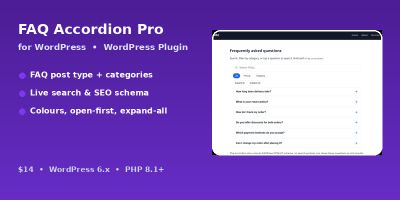
Kategoriler, erişilebilir bir akordeon ve FAQPage JSON-LD işaretlemesi ile aranabilir SSS'leri WordPress sitenizde görüntüleyin.
Yayın: Kasım 2026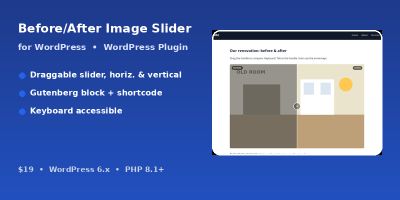
Görüntüleri erişilebilir, sürüklenebilir bir öncesi-sonrası kaydırıcısı, kısa kodu ve WordPress için Gutenberg bloğuyla karşılaştırın.
Yayın: Kasım 2026