Ana Sayfa / Eklentiler / Folio3D - 3D Flipbook Plugin for WordPress
Folio3D - 3D Flipbook Plugin for WordPress
PDF'leri ve görselleri bir blok, kısa kodlar, kitaplık, arama ve okuyucu moduyla 3D WordPress flipbook'larına dönüştürün.
- Yayın tarihi13 Ekim 2026
- Nerede çalışırWordPress 6.2, WordPress 6.3, WordPress 6.4, WordPress 6.5, WordPress 6.6, WordPress 6.7, WordPress 6.8, WordPress 6.9, WordPress 7.0, WordPress 7.1
- Paket içeriği.php, .css, .html, .json, JavaScript .js
- Son güncelleme13 Ekim 2026
- Canlı demoVar


Overview
Folio3D: 3D Flipbook Plugin for WordPress
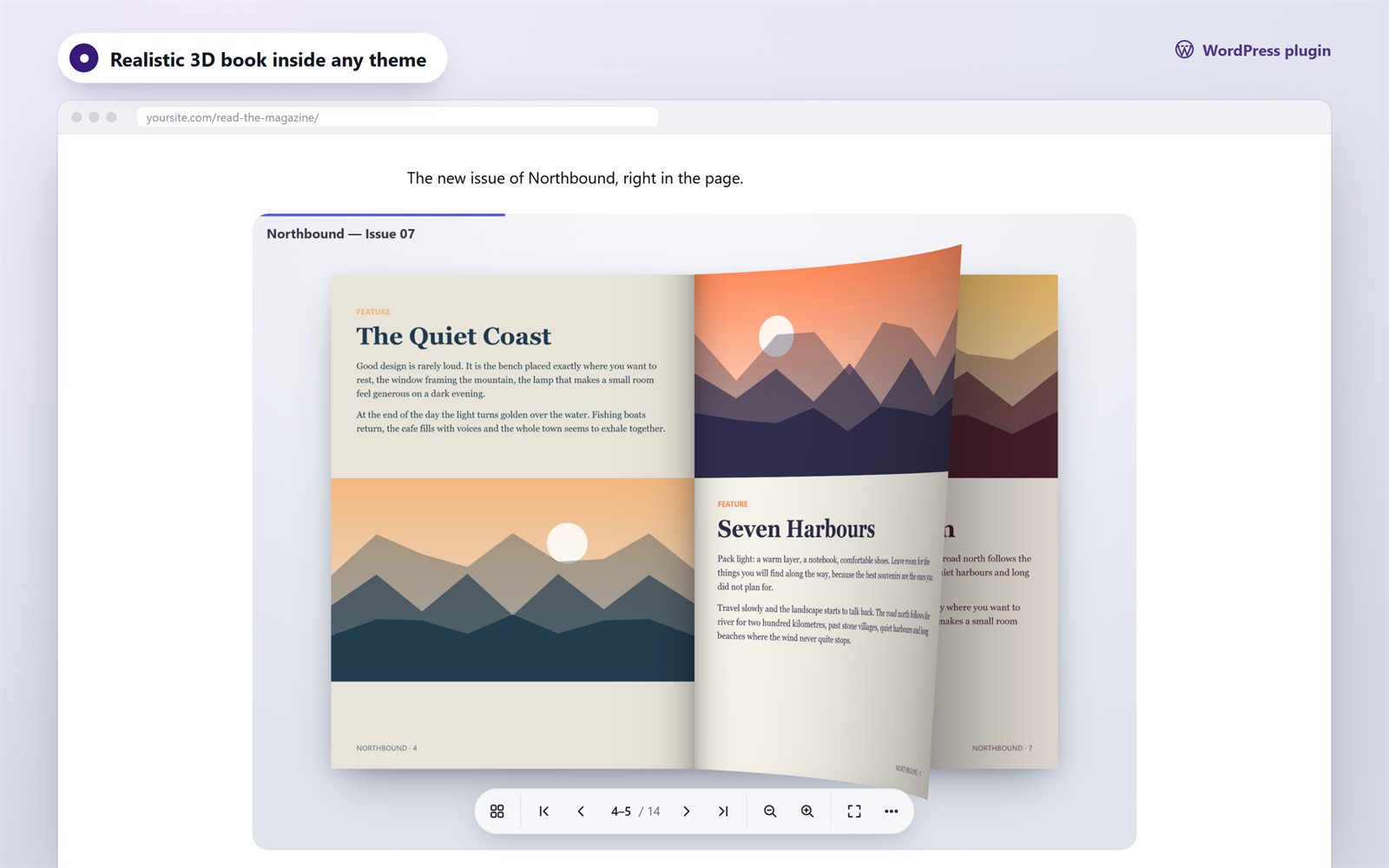
Turn your PDFs and images into realistic 3D flipbooks in a few clicks. Upload a catalog, magazine, brochure or report, publish it, and add it to any page with the Flipbook block or a shortcode. Visitors turn pages with a realistic 3D curl, search the text, jump through the contents and read comfortably on any device. No coding required.
Made for WordPress
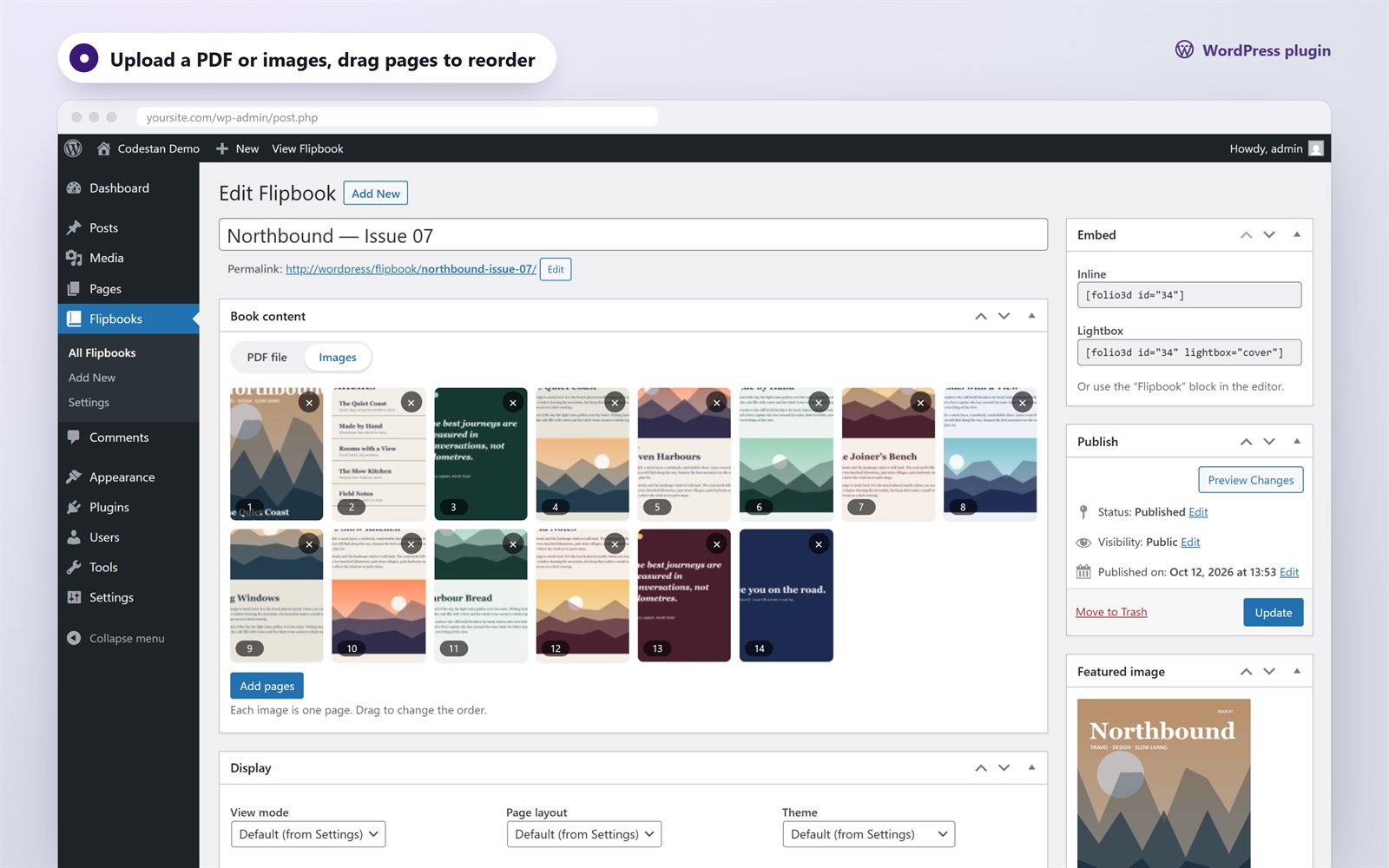
- Flipbooks section in the admin: choose a PDF from the Media Library, or upload images and drag pages into order
- Flipbook block for the block editor, plus shortcodes for the classic editor, widgets and page builders
- Four ways to show a book: inline viewer, 3D cover card, button, or text link that opens a full-screen lightbox
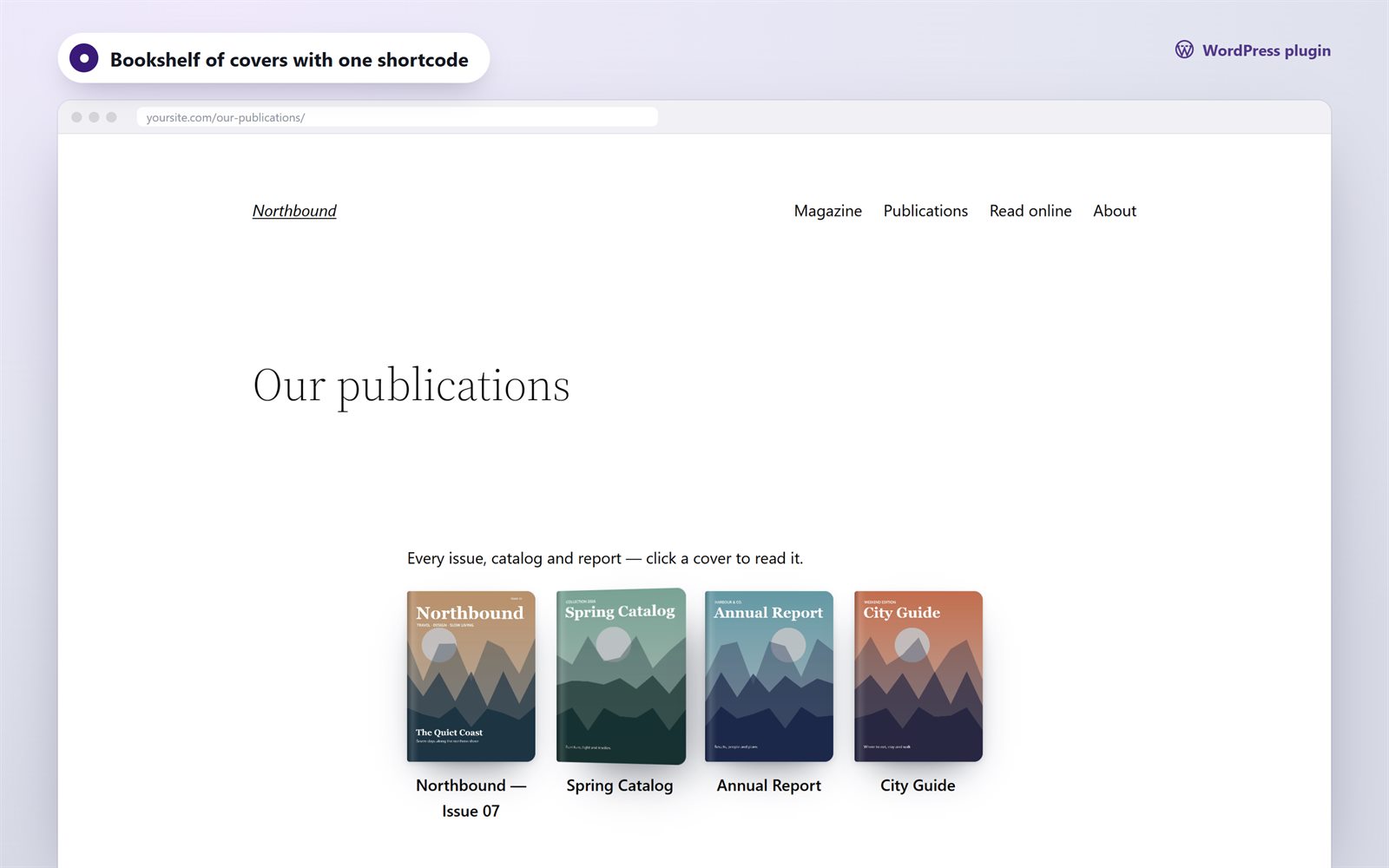
- Bookshelf:
[folio3d_shelf]shows your publications as a grid of 3D covers - Every book also gets its own page with a shareable link
- Global defaults with per-book overrides: view mode, layout, theme, accent color, height, start page, right-to-left reading, autoplay
- pdf.js bundled: no external CDN is needed, so it is privacy-friendly
- Assets load only on pages that show a book
- Translation-ready, with Russian included
A reading experience people enjoy
- Realistic WebGL page curl with lighting; you can drag a page by its corner
- Light 3D and Swipe modes for every device, with automatic fallback
- Full-text search with highlights on the page (PDF books)
- Table of contents from the PDF outline; links inside the PDF stay clickable
- Page thumbnails, bookmarks and “continue where you left off”
- Reader mode: page text in a comfortable column with adjustable size
- Zoom and pan (buttons, Ctrl + wheel, pinch), fullscreen
- Share panel, deep links to pages, download and print
- Light, dark and automatic themes, with your accent color
- Responsive: two-page spreads on desktop, single pages and swipe on phones
- Keyboard accessible, with screen reader labels and support for reduced motion
Built right
- Plain JavaScript viewer, with no jQuery and no frameworks
- WordPress coding standards: nonces, capability checks, sanitized input and escaped output
- Clean uninstall: removes its settings and keeps your books and media
- Developer filter
folio3d_book_optionsto customize any book
Shortcodes
[folio3d id="12"]
[folio3d id="12" height="80vh" page="3"]
[folio3d id="12" lightbox="cover"]
[folio3d id="12" lightbox="button" text="Read the catalog"]
[folio3d_shelf ids="12,15,18" columns="3"]
Requirements
- WordPress 6.2 or newer
- PHP 8.0 or newer
- Visitors: current Chrome, Edge, Firefox or Safari (desktop, iOS 15+, Android)
Also available
Need the viewer outside WordPress? Folio3D is also available from Codestan as a vanilla JavaScript library for any website.
Credits
- pdf.js by Mozilla, Apache License 2.0, bundled to render PDF files
- Demo content, icons and the page-turn sound are original to this item
Changelog
1.0.0 — initial releaseFeatures
Realistic 3D page curl (WebGL) with Light 3D and Swipe modes PDF or image books from the Media Library Flipbook block for the block editor Shortcodes for classic editor, widgets and page builders Inline viewer, 3D cover, button or link that opens a lightbox Bookshelf of covers with one shortcode Full-text search with highlights (PDF) Table of contents from the PDF outline, clickable PDF links Thumbnails, bookmarks and "continue reading" Reader mode for comfortable reading on phones Zoom, fullscreen, autoplay, page-turn sound Light, dark and automatic themes with accent color Global settings with per-book overrides Right-to-left books pdf.js bundled, no external CDN Translation-ready, Russian included Responsive and keyboard accessible No jQuery, readable source, no license checks
Requirements
WordPress 6.2 or newer PHP 8.0 or newer MySQL 5.7+ or MariaDB 10.x+ (any database supported by WordPress) Visitors: current Chrome, Edge, Firefox or Safari (desktop, iOS 15+, Android) WebGL for the realistic 3D mode (automatic fallback to Light 3D when unavailable)
Instructions
1. Unzip the download. Inside you will find folio3d.zip (the plugin) and Documentation/index.html (the full guide). 2. In WordPress go to Plugins → Add New → Upload Plugin, choose folio3d.zip and click Install Now, then Activate. 3. Go to Flipbooks → Add New, enter a title, choose a PDF or add images, and click Publish. 4. Copy the shortcode from the "Embed" box into any page, or add the "Flipbook" block in the block editor. 5. Adjust the defaults in Flipbooks → Settings.
Requirements: WordPress 6.2+, PHP 8.0+. If the upload fails with "The link you followed has expired", unzip folio3d.zip and upload the folio3d folder to wp-content/plugins/ by FTP.
Benzer ürünler

Izgara, masonry, lightbox ve AJAX yüklemeyle duyarlı ve etkileyici resim galerileri oluşturun. Portfolyolar ve koleksiyonlar için ideal
Yayın: Ekim 2025
Dropbox veya Google Drive'ınızı dosya tarayıcısı, galeri, kaydırıcı, yükleme kutusu veya oynatıcı olarak gösterin; özel müşteri klasörleriyle.
Yayın: Ekim 2026
Görseller ve ilgili içerikleri göstermek için bir vitrin
Yayın: Şubat 2023
Tam ekran modunda galeri ve lightbox slayt gösterisi oluşturmanıza olanak tanıyan harika bir eklenti.
Yayın: Ocak 2019
Gallery Box, güzel ve premium bir galeri eklentisidir
Yayın: Haziran 2016
Wpdream - Elementor için Görüntü Karşılaştırma eklentisi; Elementor sitenizi geliştirmek için güçlü ve kullanıcı dostu bir araçtır
Yayın: Ağustos 2026