Ana Sayfa / Uygulama Şablonları / CreateMix Studio - Android Media Editor
CreateMix Studio - Android Media Editor
CreateMix Studio; slayt gösterisi, video, fotoğraf ve ses düzenlemeyi tek bir özelleştirilebilir Android uygulamasında birleştirir.
- Yayın tarihi29 Ekim 2026
- Son güncelleme29 Ekim 2026
- Canlı demoVar

Overview
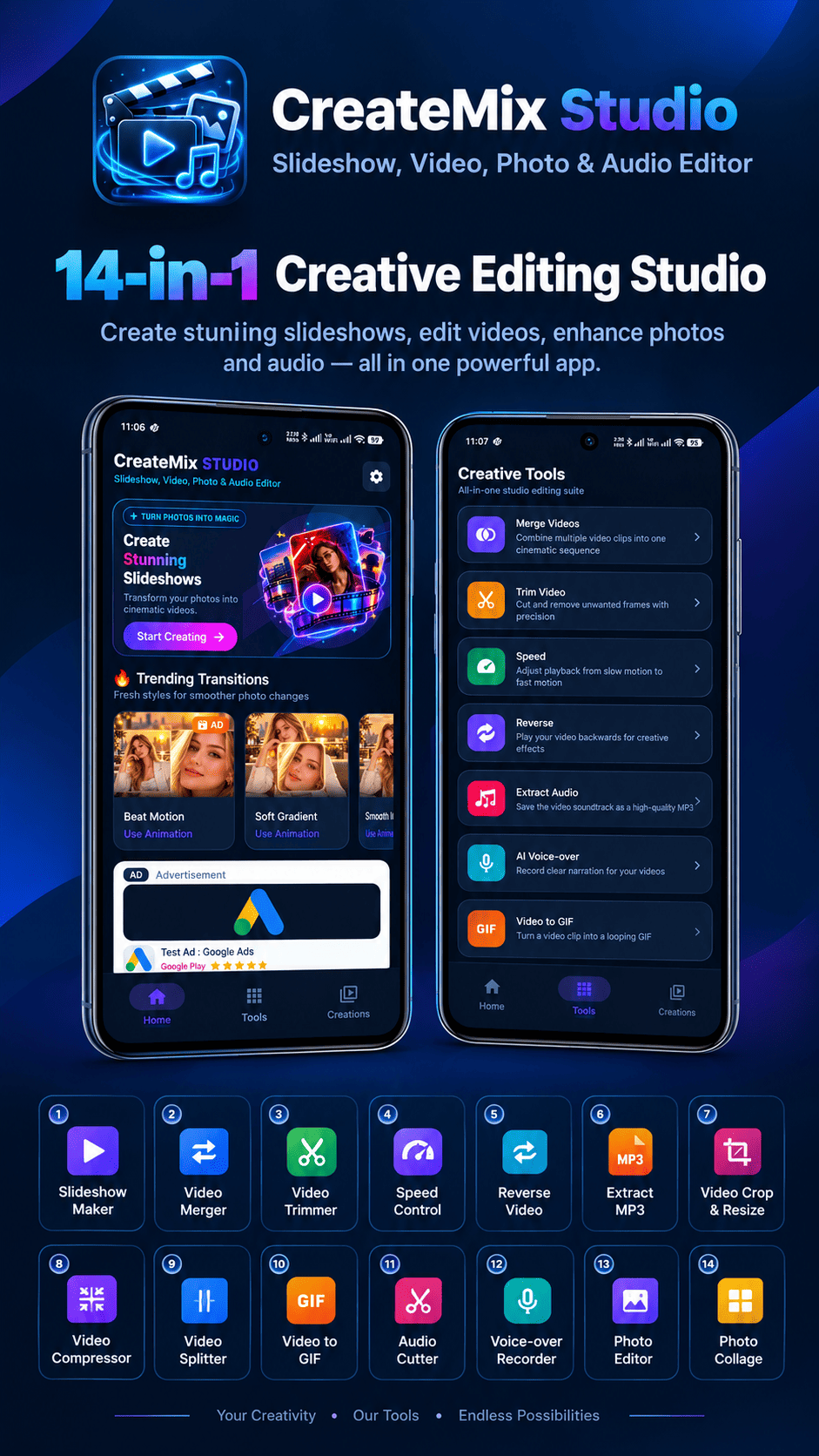
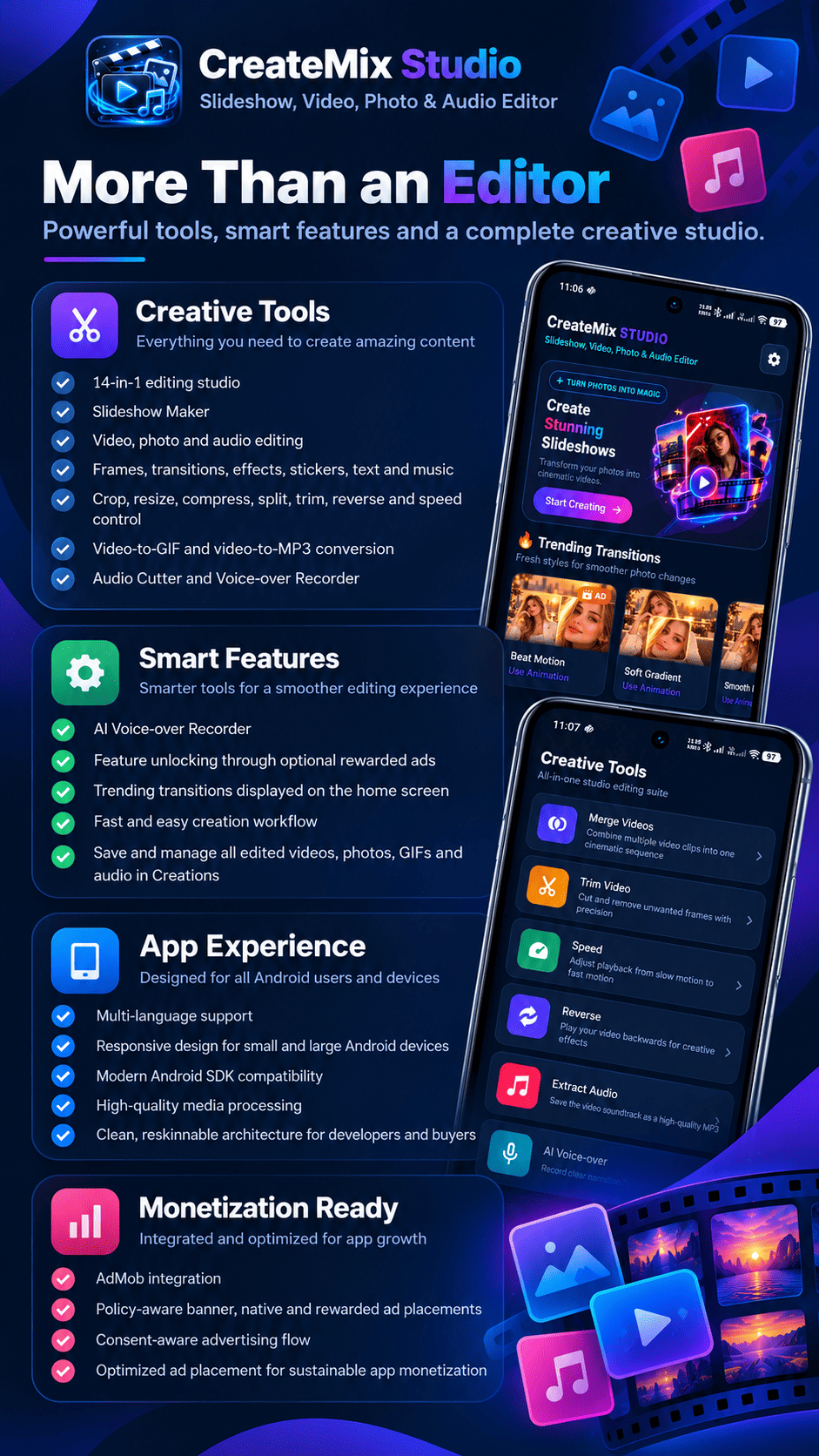
CreateMix Studio | Slideshow, Video, Photo and Audio Editor Android App
CreateMix Studio is a complete 14-in-1 Android creative editing studio for users who want to create slideshows, edit videos, enhance photos, and work with audio from one clean application.
The source code is suitable for content creators, social media users, small businesses, influencers, developers, and Android app buyers. It includes a modern reskinnable interface, local media processing, creation history, multilingual support, AdMob monetization, optional rewarded unlocks, and tools for everyday media editing.
Live Demo APK
Download the CreateMix Studio Demo APK
Complete Creative Editing Studio
CreateMix Studio brings together slideshow creation, video editing, photo editing, collage making, and audio processing in a single Android application. Users can create and edit media directly on their devices without requiring cloud-based editing services.
The application provides 14 creative tools, including video trimming, merging, splitting, reversing, cropping, compression, speed control, MP3 extraction, GIF conversion, slideshow creation, photo editing, photo collage, audio cutting, and AI voice-over enhancement.
With an intuitive dark studio interface, organized editing tools, and an integrated Creations library, the application provides a convenient workflow for everyday creative projects.
Slideshow Maker
Create engaging photo slideshows with music, transitions, visual effects, frames, stickers, and custom text. Users can select multiple photos, arrange them into a sequence, configure timing, and export the finished slideshow as a video.
- Select multiple photos to create a slideshow.
- Arrange images in the preferred order.
- Apply transitions, effects, and timing adjustments.
- Add built-in music or audio from device storage.
- Customize slides with text, stickers, and frames.
- Use trending transitions available from the home screen.
- Export the completed slideshow to the device.
- Access finished projects from the Creations library.
Video Editing Tools
Create and modify videos with a collection of practical editing tools. Combine multiple clips, trim unwanted sections, adjust playback speed, reverse videos, resize or crop content, and compress videos according to export requirements.
- Merge multiple video clips into one project.
- Trim unwanted portions of videos.
- Split longer videos into separate clips.
- Create slow-motion and fast-motion effects.
- Reverse videos with optional audio handling.
- Crop and resize videos for popular social media formats.
- Reduce video file sizes using compression settings.
- Extract audio from videos and save it as MP3.
- Convert selected video sections into GIF animations.
- Process high-resolution media using background processing.
Photo Editor and Collage Maker
Enhance photos using creative editing elements such as text, stickers, frames, effects, and visual adjustments. The photo collage tool allows users to combine multiple photos into attractive layouts.
- Add and customize text on photos.
- Apply stickers, frames, and effects.
- Use available image adjustment options.
- Create collages from multiple selected photos.
- Choose flexible photo collage layouts.
- Access categorized sticker and frame assets.
- Export finished photos and collages.
- View saved results in the Creations library.
AI Voice-over Enhancement - No API Required
CreateMix Studio includes built-in AI Voice-over Enhancement powered by a trained local DPDFNet neural model. The enhancement workflow analyzes speech and background-noise patterns to help improve recorded voice clarity directly on the Android device.
The AI enhancement feature is designed for audio improvement. It does not generate synthetic speech, clone voices, or replace the user's original voice.
- Record voice narration directly inside the application.
- Enhance supported recordings using the local AI model.
- Improve speech clarity through noise-pattern processing.
- Perform enhancement without uploading audio to a cloud AI service.
- No external AI API key is required.
- No separate AI subscription or recurring AI usage payment is required.
- Save enhanced voice-over recordings locally.
- Use processed audio in creative
Features
- Slideshow Maker — Create cinematic videos from photos with music, transitions, frames, effects and text.
- Video Merger — Combine multiple video clips into one seamless video.
- Video Trimmer — Cut unwanted video sections quickly and precisely.
- Speed Control — Create smooth slow-motion and fast-motion videos.
- Reverse Video — Play videos backward with optional audio.
- Extract MP3 — Extract high-quality audio from video files.
- Video Crop and Resize — Export videos in 9:16, 1:1, 4:5 and 16:9 formats.
- Video Compressor — Reduce video size with selectable quality settings.
- Video Splitter — Divide long videos into multiple clips.
- Video to GIF — Convert video moments into shareable GIF files.
- Audio Cutter — Trim MP3 and other supported audio files.
- Voice-over Recorder — Record narration for creative projects with optional local voice enhancement.
- Photo Editor — Add text, stickers, frames, effects and adjustments to photos.
- Photo Collage Maker — Create attractive collages from multiple images.
- Creations Library — Manage saved videos, images, GIFs and audio files.
- Trending Transitions — Discover popular transitions directly from the home screen.
- Multilingual Support — Use the application in multiple supported languages.
- Responsive Design — Optimized for small, normal and large Android screens.
- Local Media Processing — Edit and export media directly on the device.
- AdMob Monetization — Supports banner, native, interstitial and rewarded ads.
- Rewarded Unlocks — Unlock selected features after watching a rewarded advertisement.
- Consent-aware Advertising — Uses Google UMP consent management before loading ads.
- Reskin-ready Source Code — Centralized configuration for branding, colors, strings, assets and advertising.
Requirements
- Android Studio with the Android Gradle Plugin.
- Java development environment compatible with the project.
- Minimum Android SDK 24.
- Compile and target SDK 36.
- An Android device or emulator for testing.
- Internet access for Gradle dependencies, AdMob ads, UMP consent and optional OneSignal notifications.
- Your own AdMob App ID and ad unit IDs before publishing.
- Your own privacy policy URL and application links before publishing.
- Your own OneSignal App ID if push notifications are enabled.
Benzer ürünler

kes, Videodan GIF'e, Boomerang, Video Efekti, Siyah Beyaz Video, Videoyu Ters Çevir, Müzik Ekle, Videoyu Kırp, Video Filigranı
Yayın: Aralık 2021
Fotoğraflarınızdan müzik, filtre, metin ve daha fazlasıyla çarpıcı videolar ve slayt gösterileri oluşturun.
Yayın: Eylül 2025
Müzik Videosu Yapıcı ve Admob reklamlarıyla Slayt Gösterisi Video Düzenleyici
Yayın: Mayıs 2024
MP3 kesici, ses kırpıcı, zil sesi düzenleyici ve müzik kesici araçlarıyla özel zil sesleri oluşturun.
Yayın: Haziran 2026
Aşk çerçeveleri, çift fotoğraf efektleri, kolaj düzenleri ve çarpıcı fotoğraf düzenleme araçlarıyla romantik fotoğraflar oluşturun.
Yayın: Haziran 2026
Müzik, slayt gösterisi oluşturma, video düzenleme araçları ve modern mobil UI içeren fotoğraf video yapım uygulaması için Android kaynak kodu.
Yayın: Nisan 2026