Ana Sayfa / Eklentiler / Ceacliu - WooCommerce Auto Print Kitchen Orders
Ceacliu - WooCommerce Auto Print Kitchen Orders
Yeni WooCommerce siparişleri, mutfak, bar ve gişe biletleri gibi 58/80 mm termal yazıcılarda kendiliğinden yazdırılır.
- Yayın tarihi16 Kasım 2026
- Nerede çalışırWooCommerce 8.x, WordPress 6.4, WordPress 6.5, WooCommerce 9.x, WordPress 6.6, WordPress 6.7, WordPress 6.8, WordPress 6.9, WordPress 7.0, WordPress 7.1, WooCommerce 10.x, WooCommerce 11.x
- Paket içeriği.py, .php, .css, .html, JavaScript .js
- Son güncelleme16 Kasım 2026
- Canlı demoVar


Overview
New WooCommerce orders print by themselves on your 58 or 80 mm thermal printer, with separate tickets for the kitchen, the bar and the counter. Made for pizzerias, restaurants and food shops. No cloud service and no monthly fee.
Two ways to print
- Ceacliu Print Agent - a small Windows program included in the package, both as a ready .exe and as editable Python source code with build instructions. Connect it with the key from the WooCommerce settings, pick the printer of each station from the printers installed in Windows, done. It prints straight to the printer (no browser), cuts the paper, can open the cash drawer, handles several printers on one computer and starts with Windows.
- Nothing to install: the Print station page in Chrome on the computer next to the printer (Windows, macOS and Linux).
The live demo lets you place an order and watch the tickets come out, and even print a sample ticket on your own printer.
Features
- Up to 4 stations (Counter, Kitchen, Bar...) - each prints only the products of its categories; a drinks-only order never prints an empty kitchen ticket
- Counter ticket with prices, address, totals and payment method; kitchen ticket with big text and no prices
- Order number, time, table, delivery or pickup and the chosen time, customer and phone, product options and notes
- Sound on new orders, 1-3 copies per station, normal or large text, own header and footer
- "Print again" on the order screen and as a bulk action
- Only orders placed after activation print - no flood of old tickets
- Keeps working all day: alarm when the internet drops, waiting orders print when it is back
- Any ESC/POS thermal printer (Epson, Xprinter, Star, Bixolon, Sewoo, Rongta...) on USB, network or Bluetooth
- Windows Print Agent: direct printing, paper cut, cash drawer, network printers by IP, starts with Windows
- Print Agent source code (Python, standard library only) and build instructions included
- HPOS, block and classic checkout, English and Romanian included
Requirements
- WordPress 6.4 or newer, WooCommerce 8.0 or newer, PHP 7.4 or newer
- A 58 or 80 mm ESC/POS thermal printer
- Print Agent: Windows 10 or 11 (the source code runs with Python 3.9+)
- Or Google Chrome for the Print station page
Instructions
- Plugins - Add New - Upload Plugin - choose ceacliu-autoprint.zip - Activate.
- WooCommerce - Settings - AutoPrint: turn on the stations (Counter, Kitchen, Bar) and choose their categories.
- Windows: start print-agent/CeacliuPrintAgent.exe, paste the site address and the connection key from the settings, choose a printer for each station, Test, Start printing.
- Or open WooCommerce - Print station in Chrome on the computer next to the printer.
- Print Agent source code and build steps: print-agent/source (BUILD - COMPILARE.txt). Full documentation in English and Romanian is included.
Benzer ürünler
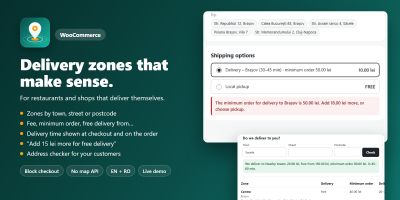
WooCommerce teslimat bölgelerini özel ücretler, minimum siparişler ve teslimat süreleriyle şehre, caddeye veya posta koduna göre ayarlayın.
Yayın: Kasım 2026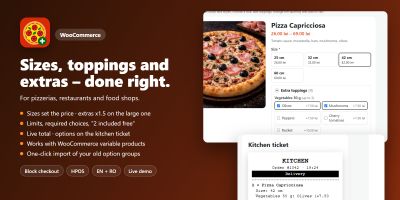
Ceacliu, canlı toplam ve mutfak biletiyle WooCommerce ürünlerine boyutlar, ekstra malzemeler, soslar ve açıklamalar ekliyor.
Yayın: Kasım 2026
WooCommerce açılış saatlerini ayarlayın, ön siparişleri kabul edin, teslimat veya teslim alma zaman dilimleri teklif edin, siparişleri sınırlayın ve ödemeyi duraklatın.
Yayın: Kasım 2026
Alerjen simgeleri, içerikler, beslenme tabloları ve ücretsiz ürün filtresi için bir WooCommerce eklentisi.
Yayın: Kasım 2026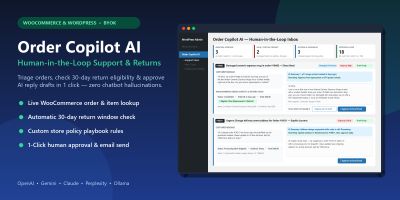
WooCommerce ve WordPress için insan denetimli yapay zekâ müşteri desteği, iade politikası triyajı ve tek tıkla yanıt taslakları.
Yayın: Kasım 2026
Ceacliu, WooCommerce siparişlerinden Romanya e-Factura faturaları oluşturuyor ve XML'i ANAF SPV'ye gönderiyor.
Yayın: Kasım 2026