Ana Sayfa / Temalar / Velora - Animated Lamp Login HTML Template
Velora - Animated Lamp Login HTML Template
VELORA; aydınlatma efektleri, duyarlı tasarım ve kolay özelleştirme sunan animasyonlu lambalı giriş ve kayıt HTML şablonudur.
- Yayın tarihi16 Kasım 2026
- Paket içeriği.css, .html, JavaScript .js
- Son güncelleme16 Kasım 2026
- Canlı demoVar

Overview
VELORA — Interactive Lamp Login Page Template
Premium Animated Authentication UI | HTML, CSS & JavaScript Give your website a unique and elegant first impression with VELORA, an interactive login page template featuring a beautiful golden hanging lamp, warm lighting effects, and a modern dark interface. Designed for developers, web designers, and creative projects, VELORA combines sophisticated visuals with clean, organized, and easy-to-customize source code.
Main Features
- Interactive Hanging Lamp: Pull the lamp cord to illuminate the interface.
- Beautiful Lighting Effects: Warm golden light and subtle animated particles.
- Login Page: Modern email and password authentication interface.
- Sign Up Page: Registration form with full name, email, password, and confirm password.
- Forgot Password: Dedicated password recovery interface.
- Google & Apple Buttons: Social sign-in UI with recognizable brand icons.
- Responsive Design: Optimized for desktop, tablet, and mobile screens.
- Smooth Animations: Elegant transitions and interactive effects.
- Form Validation: Client-side validation for common input errors.
- Easy Customization: Change colors, text, images, and styles through organized source files.
- No Heavy Frameworks: Built using HTML, CSS, and vanilla JavaScript.
What You Will Receive
1 ZIP archive containing 2 main folders: 01 — VELORA (Source Code) Complete website template files, including:
- HTML files
- CSS stylesheets
- JavaScript files
- Images, icons, and other included assets
02 — GUIDE (Documentation) A separate documentation folder containing:
- PDF installation and customization guide
- README documentation
- Instructions for opening and running the template
- How to modify colors, text, fonts, and branding
- How to customize animations and interactive elements
- Guidance for integrating a real authentication backend
How to Use
- Download and extract the ZIP archive.
- Open the VELORA source code folder.
- Open
index.htmlin your web browser. - Customize the design using the HTML, CSS, and JavaScript files.
- Integrate the template into your website or web application.
No complicated setup or installation process is required for the front-end demo.
Perfect For
- Website login and registration interfaces
- Creative portfolios
- Premium web projects
- UI/UX design inspiration
- Front-end development projects
- Developers looking for a customizable authentication interface
Important Information
Google and Apple sign-in buttons are demonstration interface elements. Real OAuth authentication, database connectivity, password recovery emails, and user account management require additional backend integration. This is a digital download. No physical product will be shipped.
VELORA — Illuminate your login experience.
Features
- Interactive golden hanging lamp with pull-cord animation
- Warm lighting effects and animated particles
- Responsive login, signup, and forgot password interfaces
- Email and password form validation
- Confirm password field for account registration
- Google and Apple social login UI buttons
- Smooth transitions and interactive animations
- Modern dark design with elegant gold accents
- Clean, organized HTML, CSS, and JavaScript source code
- Easy customization of colors, text, and branding
- No heavy frameworks required
- Separate GUIDE folder with installation and customization documentation
Requirements
- A modern web browser (Chrome, Firefox, Edge, or Safari)
- Basic knowledge of HTML, CSS, and JavaScript for customization
- A code editor such as Visual Studio Code (recommended)
- No database or backend required to preview the template
- Backend integration required for real user authentication
- OAuth configuration required to activate Google and Apple sign-in
Benzer ürünler
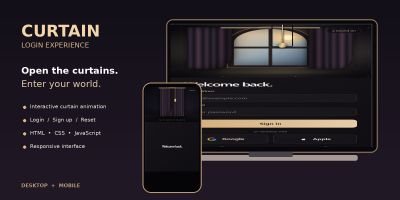
NOCTURNE; duyarlı düzenler ve özelleştirme kılavuzu ile animasyonlu perde girişi, kayıt ve şifre sıfırlama arayüzleri sunar.
Yayın: Kasım 2026
Animasyonlu örümcek, Kayıt Ol, Şifremi Unuttum ve etkileşimli hata efektleri olan duyarlı HTML, CSS ve JavaScript giriş arayüzü.
Yayın: Kasım 2026
Animasyonlu bir lamba, beş ışık rengi, kayıt olma ve şifre kurtarma ekranları olan etkileşimli bir HTML giriş şablonu.
Yayın: Kasım 2026
Bento ızgarası, kimlik doğrulama sayfaları ve etkileşimli bileşenler içeren modern koyu mod yapay zekâ SaaS açılış sayfası şablonu.
Yayın: Ekim 2026
Yaratıcı stüdyolar, tasarımcılar, sanatçılar ve dijital ajanslar için eğlenceli duyarlı HTML açılış sayfası.
Yayın: Ağustos 2026
Azapp temiz ve duyarlı bir uygulama açılış sayfası web sitesi HTML şablonudur
Yayın: Ağustos 2022