Ana Sayfa / Eklentiler / WooCommerce Shipping Tracker Plugin
WooCommerce Shipping Tracker Plugin
Müşteri sipariş e-postasına kargo numarası ekler.
- Yayın tarihi21 Haziran 2019
- Nerede çalışırWordPress 4.6, WordPress 4.7, WooCommerce 3.0.x, WooCommerce 2.8.x, WooCommerce 2.9.x, WordPress 4.8, WordPress 4.9, WordPress 5.0
- Paket içeriği.php
- Son güncelleme21 Haziran 2019


Overview
Easily handle shipping numbers for your orders.
Features
- Ability to add tracking number to an order easily through the Orders page in WordPress
- Adds a shipping tracker to the order confirmation email
- Supports all couriers, with direct links to major couriers, like UPS and DHL.
- Plugin ships in .zip package allowing easy installation
Instructions
Install from your WordPress dashboard.
1. Navigate to your WordPress dashboard
2. Click on Plugins -> Add New
3. In top left corner besides Add Plugin find button labeled "Upload Plugin", click it
4. Upload .zip package, click "Install Now"
5. After a couple of seconds a new page will appear, click Activate
6. Plugin is now active.
Tracking number can be added to an order in WooCommerce -> Orders -> click on a given order.
Find shipping tracker box under Order Actions.
Fill the shipping info out, and if you send the order email, it will be added to the email.
Benzer ürünler
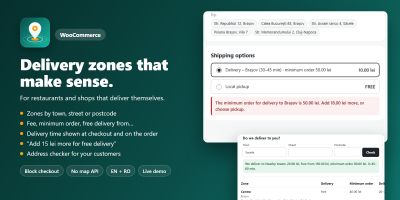
WooCommerce teslimat bölgelerini özel ücretler, minimum siparişler ve teslimat süreleriyle şehre, caddeye veya posta koduna göre ayarlayın.
Yayın: Kasım 2026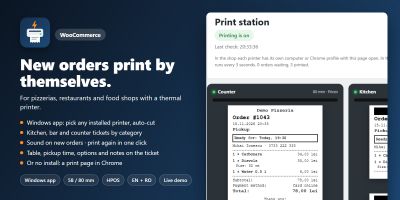
Yeni WooCommerce siparişleri, mutfak, bar ve gişe biletleri gibi 58/80 mm termal yazıcılarda kendiliğinden yazdırılır.
Yayın: Kasım 2026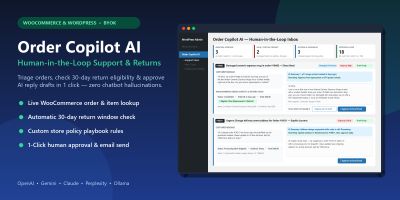
WooCommerce ve WordPress için insan denetimli yapay zekâ müşteri desteği, iade politikası triyajı ve tek tıkla yanıt taslakları.
Yayın: Kasım 2026
Ceacliu, canlı toplam ve mutfak biletiyle WooCommerce ürünlerine boyutlar, ekstra malzemeler, soslar ve açıklamalar ekliyor.
Yayın: Kasım 2026
Ceacliu, WooCommerce siparişlerinden Romanya e-Factura faturaları oluşturuyor ve XML'i ANAF SPV'ye gönderiyor.
Yayın: Kasım 2026
Ziyaretçilerin göz atma geçmişine dayalı kişiselleştirilmiş WooCommerce ürün önerileri. Bu eklenti çerezleri kullanır.
Yayın: Kasım 2026