Ana Sayfa / Eklentiler / FireAuth Mobile OTP - WooCommerce Plugin
FireAuth Mobile OTP - WooCommerce Plugin
FireAuth, kullanıcıların yalnızca cep telefonu numaralarıyla kolayca giriş yapmasına veya kayıt olmasına izin verir. Artık parola veya e-posta gerekmez.
- Yayın tarihi29 Ağustos 2022
- Nerede çalışırWooCommerce 2.7.x, WooCommerce 3.0.x, WooCommerce 2.8.x, WooCommerce 2.9.x, WooCommerce 4.x, WooCommerce 5.x, WooCommerce 6.x
- Paket içeriği.php, .css, .html, JavaScript .js
- Son güncelleme29 Ağustos 2022
- Canlı demoVar


Overview
Remove Codester Frame to View Demo
FireAuth allow users to login/register simply with their mobile number. No more passwords or emails are required. You can easily use this plugin in your WordPress or in your WooCommerce store to keep track of your customer using their mobile number.
Why FireAuth Mobile OTP
This plugin offers a very stable and almost free WordPress two-factor authentication. It’s a very fast, secure plugin that comes with easy installation. This plugin uses Firebase phone authentication. Firebase’s phone number sign-in request quota is high enough(10k/month) that most apps won’t be affected. However, if you need to sign in to a very high volume of users with phone authentication, you might need to upgrade your pricing plan. See the pricing page.
Demo: Here
How It Works

Features
- Passwordless login with SMS/OTP
- Firebase Phone Authentication
- Two Factor Authentication
- Fully customizable
- Compatible with All Themes and Plugins
- No need to remember your email/password, login with OTP
- Fast and Secure
- Woocommerce & WPML Compatible
- Responsive: Works seamlessly for all devices
- Translation Ready: Compatible with WPML and RTL
- Easy Installation and Setup
- Auto Country Code Detection
Requirements
PHP version 7.3 or higher. Apache server. WordPress 4.0 or Higher Firebase WooComemrce
Instructions
Detailed instructions on how to Install & Setup up the plugin locally or on the server are included in the documentation.
Benzer ürünler
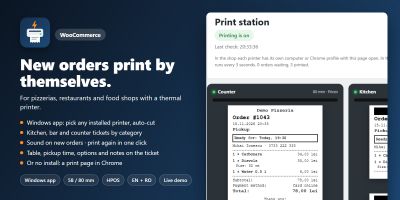
Yeni WooCommerce siparişleri, mutfak, bar ve gişe biletleri gibi 58/80 mm termal yazıcılarda kendiliğinden yazdırılır.
Yayın: Kasım 2026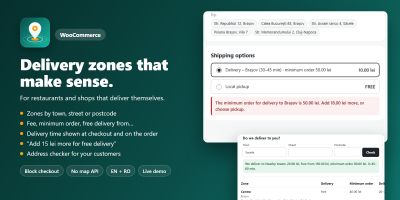
WooCommerce teslimat bölgelerini özel ücretler, minimum siparişler ve teslimat süreleriyle şehre, caddeye veya posta koduna göre ayarlayın.
Yayın: Kasım 2026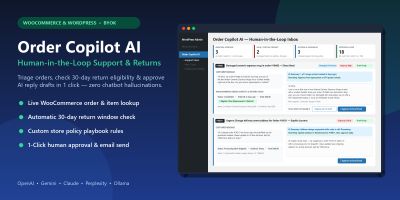
WooCommerce ve WordPress için insan denetimli yapay zekâ müşteri desteği, iade politikası triyajı ve tek tıkla yanıt taslakları.
Yayın: Kasım 2026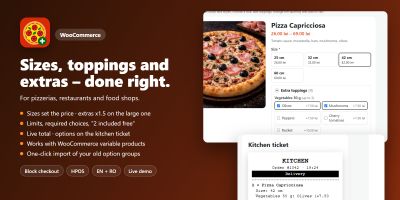
Ceacliu, canlı toplam ve mutfak biletiyle WooCommerce ürünlerine boyutlar, ekstra malzemeler, soslar ve açıklamalar ekliyor.
Yayın: Kasım 2026
Hatırlatma e-postaları, kupon ödülleri, ürün soruları ve inceleme widget'larıyla WooCommerce fotoğraf ve video incelemelerini toplayın.
Yayın: Kasım 2026
WooCommerce açılış saatlerini ayarlayın, ön siparişleri kabul edin, teslimat veya teslim alma zaman dilimleri teklif edin, siparişleri sınırlayın ve ödemeyi duraklatın.
Yayın: Kasım 2026