Ana Sayfa / Eklentiler / WooCommerce Import And Export Plugin
WooCommerce Import And Export Plugin
WooCommerce Ürün İçe/Dışa Aktarma Eklentisi, mağazanızdaki ürünleri kolayca dışa ve içe aktarmanıza yardımcı olur.
- Yayın tarihi2 Temmuz 2017
- Nerede çalışırWordPress 4.4, WordPress 4.3, WordPress 4.2, WordPress 4.0, , , WordPress 4.6, WordPress 4.7, WooCommerce 3.0.x, WordPress 4.8
- Paket içeriği.php, .css, .html, JavaScript .js
- Son güncelleme11 Temmuz 2017
- Canlı demoVar


Overview
- Compatible with latest woocommerce.
- No monthly fees or yearly subscription.
- One time purchase and use for multiple sites.
WooCommerce Product Import Export Plugin helps you to easily export and import products in your store. This plugin lets you import/export all types of products including product variations. It is very simple!
- Export Products ( Simple, Group, External and Variations ) and Reviews into a CSV/XLS file.
- Import products ( Simple, Group, External and Variations ) and Reviews in CSV/XLS format into WooCommerce Store.
We provide 24*7 Support for the plugin. If there is any problem, you can straight away write down your concern here or to our email address. We’ll get back to you within 24 hours. Also we’ll do create a sample CSV/XLS for your site to make hassle free usage of this plugin for your site.
Features
· Purchase once and use for unlimited number of sites
· No monthly fees or yearly subscription
· Easy Installation and Detailed Documentation.
· Easy Import and Export Interface.
· Export Data to CSV File.
· Export Data to XLS File.
· Import Data from CSV File.
· Import Data from XLS File.
· 100% customizable.
· Dedicated Support.
· Any issue in import-export products ? Get in touch with us. We’ll do import-export for your store and provide a demonstration.
· Support for all woocommerce fields. Custom fields are not supported.
· Extend support & updates after 1 year at 50% discount.
Requirements
The CSV/XLS Import file must be in UTF-8 format
Instructions
After purchasing the Product Export Import Plugin For WooCommerce, the plugin will be available as a zip file.
- Download the zip file.
- Log in as the WordPress Admin of your online store.
- Navigate to Plugins > Add Newto upload the downloaded plugin.
- Choose the plugin file to upload.
- Finally, activate the plugin.
Getting started with the plugin
The plugin takes CSV/XLS file as input for importing products. It maps each field of the CSV/XLS file to the field of a particular WooCommerce product (that otherwise needs to be entered manually by admin). Each row represents one single product. For example, the post_title field gets mapped to the product name and the regular_price field gets mapped to the regular price of your product. If you want the plugin to work correctly, you must map headers of all the column correctly and must ensure that all of the fields you enter are in the correct format. If there is any mistake in your import file, your product import may not work as expected.
To get started you must have a CSV/XLS file. You can download our sample CSV/XLS file or create one or you can export the product to get the format of CSV/XLS.
You must enter the product details in CSV/XLS file in a structured format. Once you install the plugin, It will allow you to download the sample format files.
Benzer ürünler
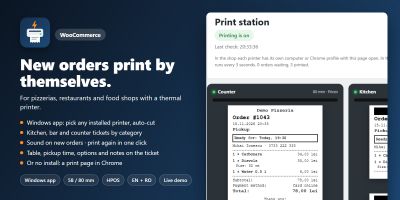
Yeni WooCommerce siparişleri, mutfak, bar ve gişe biletleri gibi 58/80 mm termal yazıcılarda kendiliğinden yazdırılır.
Yayın: Kasım 2026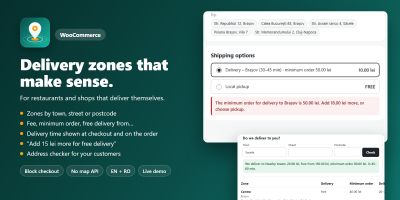
WooCommerce teslimat bölgelerini özel ücretler, minimum siparişler ve teslimat süreleriyle şehre, caddeye veya posta koduna göre ayarlayın.
Yayın: Kasım 2026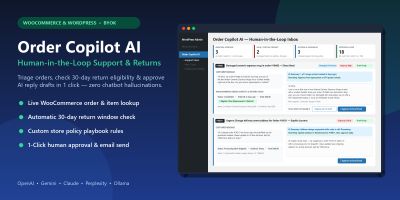
WooCommerce ve WordPress için insan denetimli yapay zekâ müşteri desteği, iade politikası triyajı ve tek tıkla yanıt taslakları.
Yayın: Kasım 2026
Ceacliu, canlı toplam ve mutfak biletiyle WooCommerce ürünlerine boyutlar, ekstra malzemeler, soslar ve açıklamalar ekliyor.
Yayın: Kasım 2026
Hatırlatma e-postaları, kupon ödülleri, ürün soruları ve inceleme widget'larıyla WooCommerce fotoğraf ve video incelemelerini toplayın.
Yayın: Kasım 2026
WooCommerce açılış saatlerini ayarlayın, ön siparişleri kabul edin, teslimat veya teslim alma zaman dilimleri teklif edin, siparişleri sınırlayın ve ödemeyi duraklatın.
Yayın: Kasım 2026