Ana Sayfa / Eklentiler / Kaddora WooCommerce Sales Analytics Plugin
Kaddora WooCommerce Sales Analytics Plugin
WooCommerce satışlarını, siparişlerini ve gelirini akıllı analitik panoları ve raporlarla takip edin; WordPress'te çevrimiçi mağazanızı büyütün.
- Yayın tarihi11 Mart 2026
- Son güncelleme11 Mart 2026
- Canlı demoVar


Overview
Kaddora WooCommerce Sales Analytics Plugin
Kaddora WooCommerce Sales Analytics Plugin is a powerful analytics and reporting tool designed to help store owners monitor, analyze, and optimize their online store performance. This plugin provides advanced WooCommerce sales analytics dashboards, detailed sales reports, and real-time insights to help businesses make smarter data-driven decisions.
Running an online store requires understanding customer behavior, product performance, and revenue trends. With Kaddora Sales Analytics, store owners can easily track orders, revenue, best-selling products, and customer activity directly from their WordPress dashboard.
The plugin transforms raw WooCommerce data into clear analytics reports and visual insights, allowing you to quickly understand how your store is performing and where improvements can be made.
Powerful WooCommerce Sales Analytics Dashboard
The plugin includes a modern and easy-to-use analytics dashboard inside the WordPress admin panel. Store owners can quickly see important store metrics such as:
- Total sales revenue
- Total orders
- Average order value
- Best-selling products
- Customer purchase trends
This dashboard gives store owners a complete overview of their WooCommerce store performance without needing third-party analytics tools.
Real-Time Sales Tracking
Kaddora Sales Analytics allows you to track your WooCommerce store sales in real time. Every new order, sale, or transaction is automatically recorded and displayed in the analytics dashboard.
This feature helps store owners:
- Monitor daily sales performance
- Track peak sales periods
- Identify top-performing products
Real-time analytics help businesses respond quickly to market trends and customer demand.
Advanced Sales Reports
The plugin generates detailed WooCommerce sales reports that help store owners understand their store’s financial performance.
Reports can include:
- Daily sales reports
- Weekly revenue reports
- Monthly sales analysis
- Yearly store performance
These reports help business owners track growth and make better strategic decisions.
Best-Selling Product Insights
Understanding which products perform best is critical for any eCommerce store. Kaddora Sales Analytics provides detailed reports showing:
- Top selling products
- Most viewed products
- Highest revenue products
- Product sales trends
This data helps store owners optimize their product marketing strategy and increase sales.
Customer Purchase Analytics
The plugin also provides insights into customer purchasing behavior. Store owners can analyze how customers interact with their store and identify buying patterns.
Analytics may include:
- Customer order history
- Returning customer statistics
- Average customer spending
- Customer purchase frequency
These insights help businesses improve customer retention and marketing campaigns.
Revenue Growth Tracking
Kaddora Sales Analytics helps store owners track revenue growth over time. With visual reports and charts, it becomes easy to analyze:
- Store revenue trends
- Seasonal sales changes
- Marketing campaign performance
This allows businesses to understand which strategies are working and where improvements are needed.
Easy Integration with WooCommerce
The plugin is built specifically for WooCommerce and integrates seamlessly with your existing store. Once installed, it automatically collects sales and order data without requiring complicated configuration.
It works smoothly with most modern WordPress themes and WooCommerce extensions, ensuring compatibility with existing store setups.
SEO and Business Intelligence Benefits
Having access to accurate analytics allows store owners to make better business decisions. By analyzing store data, you can:
- Improve product listings
- Optimize pricing strategies
- Identify popular product categories
- Increase conversion rates
This data-driven approach helps improve overall eCommerce business performance.
Lightweight and Optimized Performance
Kaddora WooCommerce Sales Analytics Plugin is designed to be lightweight and efficient. It uses optimized database queries to ensure fast performance even on stores with large numbers of products and orders.
The plugin ensures that your WordPress website speed and performance remain unaffected while providing detailed analytics insights.
Perfect for WooCommerce Store Owners
This plugin is ideal for:
- Online store owners
- eCommerce entrepreneurs
- Digital marketers
- WooCommerce developers
- Small and large online businesses
Anyone running a WooCommerce store can benefit from better sales tracking and analytics insights.
Features
Key Features – Kaddora WooCommerce Sales Analytics Plugin
1. Advanced Sales Analytics Dashboard
The plugin provides a powerful sales analytics dashboard directly inside the WordPress admin panel. Store owners can easily view important business metrics such as total sales, total orders, revenue trends, and customer activity in one place.
This dashboard helps store owners quickly understand their WooCommerce store performance without needing external analytics tools.
2. Real-Time Sales Tracking
Kaddora Sales Analytics tracks all store sales in real time. Whenever a customer places an order, the plugin automatically updates the analytics data.
This feature helps store owners:
- Monitor live store performance
- Track current sales activity
- Identify high-traffic sales periods
Real-time insights allow businesses to make faster decisions.
3. Detailed Sales Reports
The plugin generates detailed WooCommerce sales reports that help analyze store revenue and order activity.
Available reports may include:
- Daily sales reports
- Weekly revenue analysis
- Monthly performance reports
- Yearly sales summaries
These reports help businesses track long-term growth and sales performance.
4. Best-Selling Products Analytics
Kaddora Sales Analytics shows which products generate the most revenue and orders.
Store owners can easily identify:
- Top-selling products
- Most popular items
- Products with the highest revenue
This information helps optimize product promotion and marketing strategies.
5. Customer Purchase Insights
The plugin provides useful insights into customer purchasing behavior. Understanding how customers buy products can help improve marketing and customer retention.
Analytics may include:
- Returning customers
- Average customer spending
- Customer purchase history
- Order frequency
This helps store owners build stronger customer relationships and loyalty.
6. Revenue and Profit Tracking
The plugin allows businesses to monitor store revenue trends over time. Store owners can track revenue growth and analyze which periods generate the highest income.
This feature helps:
- Evaluate marketing campaign performance
- Identify seasonal sales trends
- Improve pricing strategies
7. Product Performance Monitoring
Store owners can analyze how individual products perform in the store.
Analytics may include:
- Product sales quantity
- Product revenue contribution
- Product popularity ranking
This helps businesses decide which products to promote or restock.
8. Interactive Charts and Visual Reports
Kaddora Sales Analytics provides visual charts and graphs to display store data in an easy-to-understand format.
Visual reports may include:
- Sales charts
- Revenue graphs
- Order activity graphs
- Product performance charts
These visuals make it easier to understand store performance quickly.
9. Date Range Filtering
The plugin allows store owners to filter analytics data based on custom date ranges.
Users can view reports for:
- Today
- Last 7 days
- Last 30 days
- Custom date range
This flexibility helps businesses analyze specific marketing campaigns or seasonal sales trends.
10. Lightweight and High Performance
Kaddora Sales Analytics is designed with optimized database queries to ensure fast performance. Even stores with large product catalogs and thousands of orders can use the plugin without slowing down their website.
The plugin focuses on efficient data processing and minimal server load.
11. Easy Integration with WooCommerce
The plugin integrates seamlessly with WooCommerce stores. Once activated, it automatically collects order and sales data without requiring complicated setup.
It works with most WooCommerce-compatible WordPress themes.
12. Mobile-Friendly Analytics Dashboard
The plugin dashboard is responsive and can be accessed from mobile devices and tablets. Store owners can monitor store performance even when they are not on their computer.
This makes it easier to manage online businesses from anywhere.
13. Secure Data Handling
The plugin follows WordPress security standards, including:
- Secure database queries
- Sanitized user input
- Protected admin access
This ensures that store analytics data remains secure.
14. Developer-Friendly Structure
Kaddora Sales Analytics is built with a clean and modular code structure. Developers can easily extend the plugin functionality or integrate it with custom WooCommerce solutions.
15. Easy Installation and Setup
The plugin can be installed and activated in just a few steps. Once activated, it automatically begins tracking WooCommerce sales data and displaying analytics insights.
No complicated configuration is required.
Requirements
Technical Requirements – Kaddora WooCommerce Sales Analytics Plugin
1. WordPress Version Requirement
The plugin requires a compatible version of WordPress to function properly.
Minimum Requirement
- WordPress 5.8 or higher
Recommended Version
- Latest stable version of WordPress
Using the latest version ensures:
- Better security
- Improved plugin compatibility
- Enhanced performance
2. WooCommerce Requirement
Since this plugin is designed specifically for WooCommerce analytics, WooCommerce must be installed and activated.
Minimum Version
- WooCommerce 6.0 or higher
Recommended
- Latest WooCommerce version
WooCommerce provides the core functionality for:
- Product management
- Orders
- Customer data
- Store transactions
The analytics plugin uses this data to generate reports.
3. PHP Version Requirement
The plugin requires a modern PHP environment to run efficiently.
Minimum PHP Version
- PHP 7.4
Recommended
- PHP 8.0 or higher
Benefits of newer PHP versions:
- Faster execution speed
- Improved security
- Better memory management
4. Database Requirement
Minimum Database Version
- MySQL 5.6+
Recommended
- MySQL 5.7+or
MariaDB 10.3+
The database stores:
WooCommerce order data Sales analytics information Plugin-generated reports
5. Web Server Requirement
The plugin works with most modern web servers including:
- Apache
- Nginx
- LiteSpeed
These servers are commonly used for hosting WordPress websites.
6. Browser Compatibility
The plugin admin dashboard and analytics charts are compatible with modern web browsers such as:
- Google Chrome
- Mozilla Firefox
- Microsoft Edge
- Safari
- Opera
This ensures the analytics dashboard works smoothly for administrators.
7. JavaScript and AJAX Support
The plugin uses modern web technologies including:
- JavaScript
- AJAX
- jQuery
These technologies enable:
- Dynamic analytics dashboards
- Interactive charts
- Real-time sales updates
JavaScript must be enabled in the browser.
8. Memory and Hosting Requirements
To ensure smooth performance, the hosting environment should support:
Minimum Hosting Requirements
- PHP Memory Limit: 128MB
Recommended
- PHP Memory Limit: 256MB or higher
Additional recommended hosting features:
- SSD storage
- Server caching
- Optimized database performance
9. WooCommerce Data Requirements
The plugin requires WooCommerce store data to generate analytics reports.
Supported data types include:
- Orders
- Products
- Customers
- Revenue records
- Product sales statistics
Without WooCommerce order data, the analytics dashboard will not display reports.
10. Theme Compatibility
The plugin is compatible with most WooCommerce-ready WordPress themes, including:
- Astra
- GeneratePress
- Storefront
- OceanWP
- Kadence
- Divi
- Elementor-based themes
Any theme following WooCommerce standards should work correctly.
11. Page Builder Compatibility
The plugin can work alongside popular WordPress page builders, including:
- Elementor
- Gutenberg
- WPBakery
- Divi Builder
These builders do not interfere with the analytics functionality.
12. Security Requirements
The plugin follows WordPress security best practices, including:
- Nonce verification
- Sanitized user inputs
- Escaped output data
- Secure database queries
These measures help protect against:
- SQL injection attacks
- Cross-site scripting (XSS)
- Unauthorized access
13. File Permission Requirements
Recommended WordPress file permissions:
Folders
755Files
These permissions allow WordPress to safely access plugin files.
14. Performance Optimization (Recommended)
For large WooCommerce stores with many orders and products, it is recommended to enable:
- Object caching (Redis or Memcached)
- Page caching plugin
- CDN (Content Delivery Network)
- Optimized database indexing
These optimizations ensure faster analytics processing.
15. Plugin Installation Requirement
To install the plugin successfully:
- Access the WordPress Admin Dashboard
- Upload the plugin ZIP file
- Activate the plugin from the Plugins page
After activation, the plugin automatically begins collecting WooCommerce sales data.
Instructions
Step-by-Step Instructions – How to Use Kaddora WooCommerce Sales Analytics Plugin
Step 1: Install the Plugin
First, you need to install the plugin on your WordPress website.
- Log in to your WordPress Admin Dashboard.
- Go to Plugins → Add New.
- Click the Upload Plugin button.
- Select the plugin ZIP file:
kaddora-woocommerce-sales-analytics.zip- Click Install Now.
- After installation is complete, click Activate Plugin.
Once activated, the plugin will automatically integrate with WooCommerce.
Step 2: Make Sure WooCommerce Is Installed
This plugin works only with WooCommerce stores.
To check:
- Go to Plugins → Installed Plugins.
- Ensure WooCommerce is installed and activated.
If WooCommerce is not installed:
- Go to Plugins → Add New
- Search for WooCommerce
- Click Install → Activate
Step 3: Access the Analytics Dashboard
After activation, the plugin will create a new menu in the WordPress dashboard.
Go to:
Dashboard → Kaddora Sales Analytics
Here you will see the main analytics dashboard that displays store statistics.
The dashboard may show:
- Total sales revenue
- Total number of orders
- Average order value
- Sales trends
- Best-selling products
Step 4: View Real-Time Sales Data
The plugin automatically tracks WooCommerce orders.
Every time a customer places an order, the plugin updates analytics data.
You can view:
- Today’s sales
- Current orders
- Live store performance
This helps store owners monitor business activity instantly.
Step 5: Generate Sales Reports
To analyze store performance in detail:
- Go to Kaddora Sales Analytics → Reports.
- Select a report type.
Available report types may include:
- Daily sales report
- Weekly sales report
- Monthly sales report
- Yearly performance report
- Click Generate Report.
The plugin will display analytics data using charts and tables.
Step 6: Analyze Best-Selling Products
You can identify the most successful products in your store.
- Go to Kaddora Sales Analytics → Product Reports.
- View the Top Selling Products section.
The plugin will show:
- Products with highest sales
- Products generating most revenue
- Most purchased items
This helps you optimize product marketing.
Step 7: Monitor Customer Purchase Behavior
The plugin also provides customer analytics.
To view customer insights:
- Go to Kaddora Sales Analytics → Customer Reports.
You can analyze:
- Returning customers
- New customers
- Average customer spending
- Customer purchase history
This helps improve customer retention strategies.
Step 8: Use Date Range Filters
To analyze specific periods:
- Open the analytics dashboard.
- Select a date range filter.
Available options may include:
- Today
- Last 7 days
- Last 30 days
- Last 12 months
- Custom date range
This allows store owners to analyze marketing campaigns and seasonal sales.
Step 9: View Revenue Growth Charts
The plugin displays visual graphs for better analytics.
These charts may include:
- Revenue growth chart
- Sales trend graph
- Order activity chart
- Product performance graph
Charts help store owners understand business performance more easily.
Step 10: Export Analytics Reports (Optional)
Some versions of the plugin may allow exporting reports.
To export reports:
- Go to Kaddora Sales Analytics → Reports.
- Click Export Report.
Reports can be exported in formats such as:
- CSV
- Excel
This is useful for accounting and business analysis.
Step 11: Optimize Store Using Analytics Data
Using the analytics insights, store owners can:
- Improve product pricing
- Promote best-selling products
- Remove low-performing products
- Optimize marketing campaigns
- Increase store conversions
Analytics helps businesses make data-driven decisions.
Step 12: Monitor Store Performance Regularly
For best results:
- Check analytics dashboard daily
- Monitor weekly revenue trends
- Analyze monthly sales reports
- Track product performance
Regular monitoring helps ensure consistent store growth and profitability.
Benzer ürünler

KPI paneli, kâr motoru, RFM müşteri segmentasyonu, AI içgörüleri ve otomatik raporlar
Yayın: Nisan 2026
Gerçek zamanlı satış analitiği, ürün raporları ve müşteri performans takibiyle WooCommerce'te daha akıllı içgörüler açın.
Yayın: Ekim 2025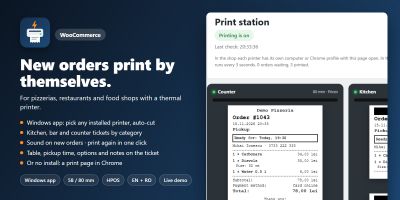
Yeni WooCommerce siparişleri, mutfak, bar ve gişe biletleri gibi 58/80 mm termal yazıcılarda kendiliğinden yazdırılır.
Yayın: Kasım 2026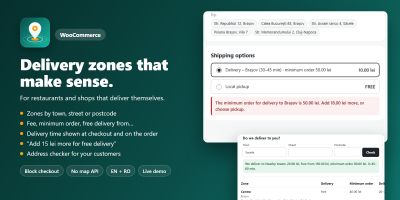
WooCommerce teslimat bölgelerini özel ücretler, minimum siparişler ve teslimat süreleriyle şehre, caddeye veya posta koduna göre ayarlayın.
Yayın: Kasım 2026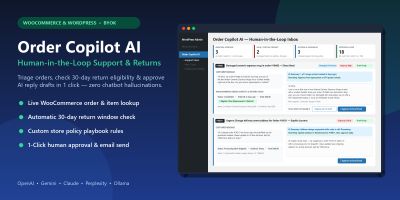
WooCommerce ve WordPress için insan denetimli yapay zekâ müşteri desteği, iade politikası triyajı ve tek tıkla yanıt taslakları.
Yayın: Kasım 2026
Ceacliu, canlı toplam ve mutfak biletiyle WooCommerce ürünlerine boyutlar, ekstra malzemeler, soslar ve açıklamalar ekliyor.
Yayın: Kasım 2026