Ana Sayfa / Temalar / 20 HTML CSS JavaScript Login and Signup Templates
20 HTML CSS JavaScript Login and Signup Templates
HTML, CSS ve JavaScript ile yazılmış yirmi duyarlı kimlik doğrulama şablonu; giriş, kayıt ol ve şifre sıfırlama arayüzlerini içerir.
- Yayın tarihi13 Kasım 2026
- Paket içeriği.css, .html, .json, .svg, JavaScript .js
- Son güncelleme16 Kasım 2026
- Canlı demoVar

Overview
20 Premium Login & Signup Templates – HTML CSS JavaScript
20 Modern, Responsive & Fully Customizable Authentication UI Designs Upgrade your web projects with a collection of 20 unique and professionally designed Login & Signup templates, built using HTML5, CSS3, and JavaScript. Each template features a distinctive visual style, responsive layouts, clean source code, and an intuitive user experience. Perfect for developers, web designers, startups, SaaS platforms, dashboards, and modern websites.
Key Features
- 20 unique and modern authentication UI designs
- Login / Sign In interfaces
- Sign Up / Registration interfaces
- Forgot Password interfaces
- Responsive layouts for desktop, tablet, and mobile
- HTML5, CSS3, and JavaScript source code
- Clean and organized project structure
- Modern typography, colors, icons, and visual elements
- Easy customization of text, colors, fonts, and images
- Client-side interactions and form validation where implemented
- No complex installation required
- Compatible with modern web browsers
What's Included?
The downloadable package contains:
- 20 independent HTML/CSS/JavaScript template projects
- Source code and associated assets for each design
- PDF Installation and Customization Guide
- Instructions for editing and integrating the templates into web projects
Each design can be opened and customized independently.
Installation
- Download and extract the main ZIP archive.
- Open the folder of your preferred template.
- Locate its main HTML file, usually
index.html. - Open the file in a modern web browser.
- Edit the HTML, CSS, and JavaScript files to customize the design.
No complicated setup is required for the static frontend templates.
Customization
These templates are designed to be flexible and developer-friendly. You can customize:
- Branding: Change logos, application names, and visual identity.
- Colors: Update backgrounds, buttons, borders, and accent colors in CSS.
- Typography: Modify fonts, headings, labels, and text.
- Images: Replace supplied visual assets with your own.
- Forms: Adapt fields, labels, validation, and buttons.
- Integration: Connect the frontend forms to your own authentication system.
The included documentation explains the project structure and customization process.
Backend Integration
Important: This package contains frontend authentication UI templates only. Real user authentication, database connections, password recovery emails, and third-party authentication services are not included. Developers can integrate the templates with their preferred backend technology or authentication provider.
Ideal For
- Websites and web applications
- SaaS products
- Admin dashboards
- Startup projects
- Educational platforms
- Portfolio projects
- Frontend development and UI prototyping
Why Choose This Pack?
Instead of creating authentication interfaces from scratch, choose from 20 distinctive designs and customize the one that best fits your project. Save development time while giving your website a modern and professional appearance. 20 Designs. One Complete Frontend UI Collection. Built with HTML5, CSS3, and JavaScript.
Features
• 20 Unique Login & Signup UI Templates • Fully Responsive Desktop, Tablet & Mobile Designs • HTML5, CSS3 & JavaScript Source Code • Login, Sign Up & Forgot Password Pages • 20 Independent Template Projects • Modern & Professional UI/UX Designs • Interactive Elements & Form Validation • Show / Hide Password Functionality Where Available • Easy Customization of Colors, Fonts & Images • Clean & Organized Source Code • Installation & Customization PDF Guide • Backend Integration Ready
Requirements
• Modern Web Browser (Chrome, Firefox, Edge or Safari) • Windows, macOS or Linux Computer • Code Editor (Visual Studio Code Recommended) • Basic HTML & CSS Knowledge for Customization • JavaScript Knowledge for Advanced Modifications • No Database Required for Frontend Preview • Backend Required for Real Authentication • Internet Connection for External Resources, If Used
Benzer ürünler

Animasyonlu örümcek, Kayıt Ol, Şifremi Unuttum ve etkileşimli hata efektleri olan duyarlı HTML, CSS ve JavaScript giriş arayüzü.
Yayın: Kasım 2026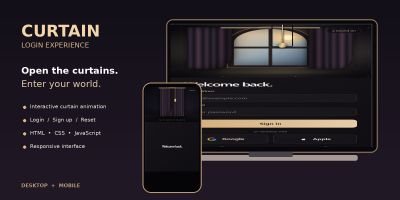
NOCTURNE; duyarlı düzenler ve özelleştirme kılavuzu ile animasyonlu perde girişi, kayıt ve şifre sıfırlama arayüzleri sunar.
Yayın: Kasım 2026
Animasyonlu bir lamba, beş ışık rengi, kayıt olma ve şifre kurtarma ekranları olan etkileşimli bir HTML giriş şablonu.
Yayın: Kasım 2026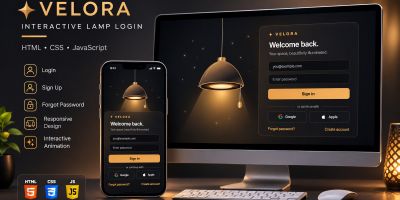
VELORA; aydınlatma efektleri, duyarlı tasarım ve kolay özelleştirme sunan animasyonlu lambalı giriş ve kayıt HTML şablonudur.
Yayın: Kasım 2026
Superblog; dergi şablonu ya da kişisel, niş, kurumsal ve marka arayan profesyoneller için mükemmel bir seçimdir.
Yayın: Aralık 2016
Birçok seçeneği olan Duyarlı Çok Amaçlı Tek & Çok sayfalı Drupal 8 teması.
Yayın: Aralık 2016